<p>I spent a lot of this release optimizing speed in the Android app. I measured scrolling across the feed list, the story list, and long articles, then fixed whatever the numbers pointed at. Then I kept going.</p>
It’s faster
Most of the slowness came from the app doing more work than it needed to. Marking a story read rebuilt its entire row. Background syncs could pile up on top of each other. The feed list waited on the sync service before showing anything, and the reader waited for the article to finish rendering before it appeared at all.
All of that is fixed. Janky frames while scrolling the feed list dropped from 32% to 15%, and from 14% to 7% in the story list. Opening a story you’ve read before went from 0.9s to 0.2s. Your feeds now load straight from the local cache, so they show up right away, even offline.
  <video muted="" loop="" playsinline="" controls="" preload="none" poster="/assets/android-15-story-list.webp" aria-label="Android story list with thumbnails and the floating toolbar at the bottom">
    <source src="/assets/android-15-reader.mp4" type="video/mp4">
    <img src="https://blog.newsblur.com/assets/android-15-story-list.webp" alt="Android story list with thumbnails and the floating toolbar at the bottom">
  </video>

</div>
Controls that float
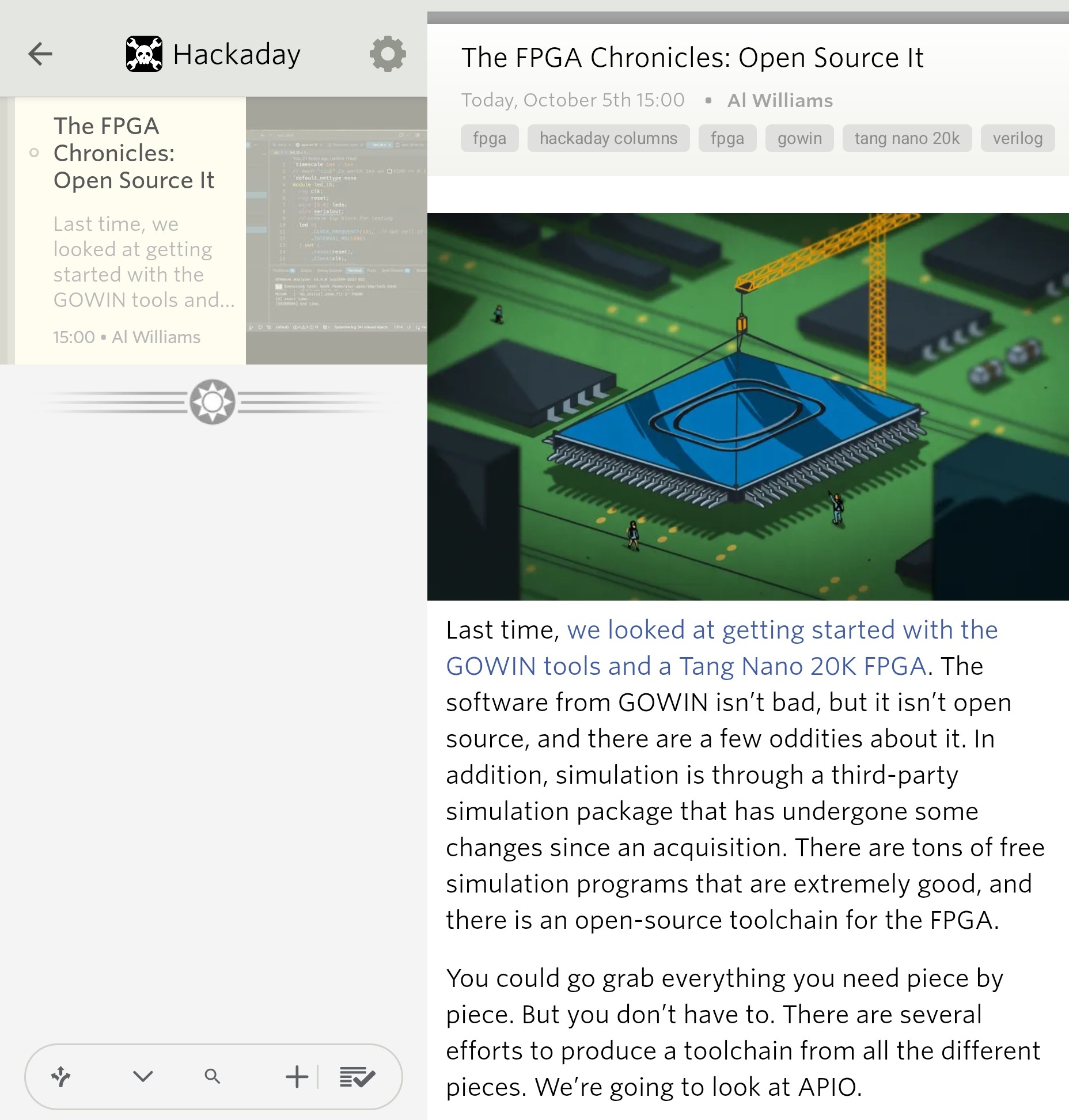
The story list controls now float at the bottom of the screen, so your stories scroll right behind them. Search, display options, and settings are all within reach of your thumb. If you’d rather have them at the top, there’s a setting for that in Preferences. In the reader, the controls tuck away as you scroll down and come back as soon as you scroll up.
  <video muted="" loop="" playsinline="" controls="" preload="none" poster="/assets/android-15-article-scroll.webp" aria-label="Scrolling a full article on Android as the floating reading controls hide and return">
    <source src="/assets/android-15-article-scroll.mp4" type="video/mp4">
    <img src="https://blog.newsblur.com/assets/android-15-article-scroll.webp" alt="Scrolling a full article on Android as the floating reading controls hide and return">
  </video>

</div>
Built for tablets
On a tablet or an unfolded foldable, NewsBlur now shows your story list and the story you’re reading side by side. Your feeds slide in over the top when you need them and slide back out when you pick one, and the list stays right where it is while the new stories fill in. Tap another story and the reader pages over to it, the same way it does when you swipe. It works in both portrait and landscape.
  <video muted="" loop="" playsinline="" controls="" preload="none" poster="/assets/android-15-tablet.webp" aria-label="A Galaxy Tab showing the story list beside the reader, with the feed list sliding over them">
    <source src="/assets/android-15-tablet.mp4" type="video/mp4">
    <img src="https://blog.newsblur.com/assets/android-15-tablet.webp" alt="A Galaxy Tab showing the story list beside the reader, with the feed list sliding over them">
  </video>

</div>
A better look at images
Tap any image in a story to open it full screen. Pinch or double tap to zoom, and swipe it away to go right back to the story.
  <video muted="" loop="" playsinline="" controls="" preload="none" poster="/assets/android-15-image-viewer.webp" aria-label="An article image open in the Android image viewer">
    <source src="/assets/android-15-image-viewer.mp4" type="video/mp4">
    <img src="https://blog.newsblur.com/assets/android-15-image-viewer.webp" alt="An article image open in the Android image viewer">
  </video>

</div>
Long press an image and you get the same viewer with a little more. The image’s hover text shows up above it, which is where comics like xkcd keep the punchline. Below it are Copy Image, Save Image, and Share Image. Saving keeps the original file, so a GIF stays animated, and it lands in your Pictures folder. If the image is a link, there’s an Open Link button too.
  <video muted="" loop="" playsinline="" controls="" preload="none" poster="/assets/android-15-image-actions.webp" aria-label="An xkcd comic in the Android image viewer with its hover text above it and Copy, Save, and Share Image beside it">
    <source src="/assets/android-15-image-actions.mp4" type="video/mp4">
    <img src="https://blog.newsblur.com/assets/android-15-image-actions.webp" alt="An xkcd comic in the Android image viewer with its hover text above it and Copy, Save, and Share Image beside it">
  </video>

</div>
Find your next favorite site
The + button opens a small Add Site sheet. Paste an address and pick a folder, or tap one of the shortcuts into discovery: Web Feed, Popular, Trending, YouTube, Reddit, Newsletters, Podcasts, and Google News. It’s the same Add + Discover Sites catalog from the web, built right into the app. Web Feed can even turn a site without RSS into a feed.
  <video muted="" loop="" playsinline="" controls="" preload="none" poster="/assets/android-15-add-site.webp" aria-label="Android Add Site sheet with an address field, folder picker, and discovery shortcuts">
    <source src="/assets/android-15-add-site.mp4" type="video/mp4">
    <img src="https://blog.newsblur.com/assets/android-15-add-site.webp" alt="Android Add Site sheet with an address field, folder picker, and discovery shortcuts">
  </video>

</div>
Every site shows its latest stories with images and excerpts, along with how recently it published. Tap a story to read it, or tap Try to browse the whole site before you subscribe. When you come back, discovery is right where you left it. Related Sites uses the same cards, so you can explore outward from a site you already like.
  <video muted="" loop="" playsinline="" controls="" preload="none" poster="/assets/android-15-discover.webp" aria-label="Android discovery results showing recent stories, images, and subscription controls">
    <source src="/assets/android-15-discover.mp4" type="video/mp4">
    <img src="https://blog.newsblur.com/assets/android-15-discover.webp" alt="Android discovery results showing recent stories, images, and subscription controls">
  </video>

</div>
Everything else
- Gestures are configurable. In Preferences you can choose what swiping left and right does on feeds and on stories, and what a long press does.
- Long press a feed or a story for a grouped menu that includes Mark newer as read and Mark older as read.
- Nested folders show up as an indented tree.
- The Previous button no longer gets stuck disabled.
- Jumping to the next folder no longer loops forever when nothing is unread.
NewsBlur 15 for Android is available on Google Play. The iOS and Mac release got a lot of the same work. If something doesn’t feel right, let me know on the NewsBlur forum.
This is a companion discussion topic for the original entry at https://blog.newsblur.com/2026/10/03/newsblur-15-for-android/