Hi , I tested this on multiple browsers (brave and librewolf) , gave newblur notification permission , and while notifications do work , they last for only very few seconds and then disappear , I’m on windows 11 and with all other websites , i can still see the notification in notification bar for other websites but not newsblur
Can you post a screenshot of what’s happening? If you’re getting a web notification, I think that is basically the end of what NewsBlur is responsible for. Once a notification hits your browser, your browser then controls how long it’s shown.
the problem is only newsblur’s notifications are the ones that don’t show in notification history in windows , all other websites’ notifications are there , so if i miss the few seconds where it’s shown i will not know i even received them
I don’t know if there’s anything I can do about this. Once the notification is sent to the browser, it’s out of our hands.
when i use https://www.kenherbert.dev/browser-notification-tester/ to test a browser notification i can see it in windows notification bar :
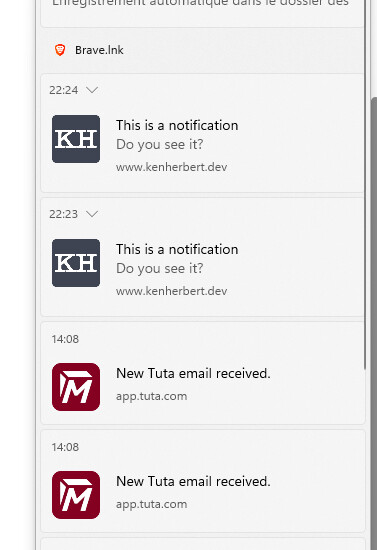
but not newsblur notifications
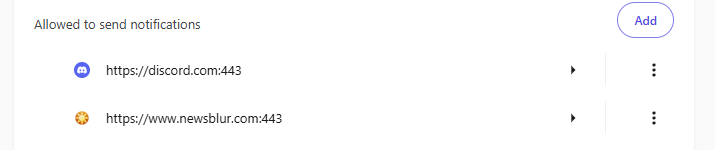
I don’t understand. I looked at your account. You have no feeds and no notifications set up.
check out @bingox , that one is my main account , i had this account before forum and website accounts were linked
you can check my account to see what’s the issue with notifications , or see if you can replicate it yourself if you have a windows machine , i re-tested with Edge too and still same problem so it’s not a browser issue , it’s like the notification has a flag/property of being short timed AND not being in windows taskbar
Good catch, this is a real bug on our end. The notification was being programmatically closed by JavaScript after 4 seconds via notification.close(). When Windows sees a notification closed by code (rather than dismissed by the user), it strips it from the notification center entirely — which is why it was vanishing without a trace.
I’ve pushed a fix that switches story notifications to use requireInteraction, which tells the browser to keep the notification visible until you click or dismiss it. That means it’ll persist in the Windows action center like you’d expect.
Thanks that’s much better , but i feel with too many notifications it won’t work great , instead having them for 5-10 seconds and then staying in task bar seems the optimal solution
Just pushed a change: notifications now show for 10 seconds then auto-dismiss. On both Mac and Windows, they’ll still be available in Notification Center / Action Center after they disappear from the screen, that part is handled by the OS. So you get a reasonable window to see them without them piling up on screen.
For me it still doesn’t auto dismiss and i have to dismiss them manually even after minutes
Make sure you refresh the page, I have it set to auto-dismiss after 10s.
you’re right , working as expected now 