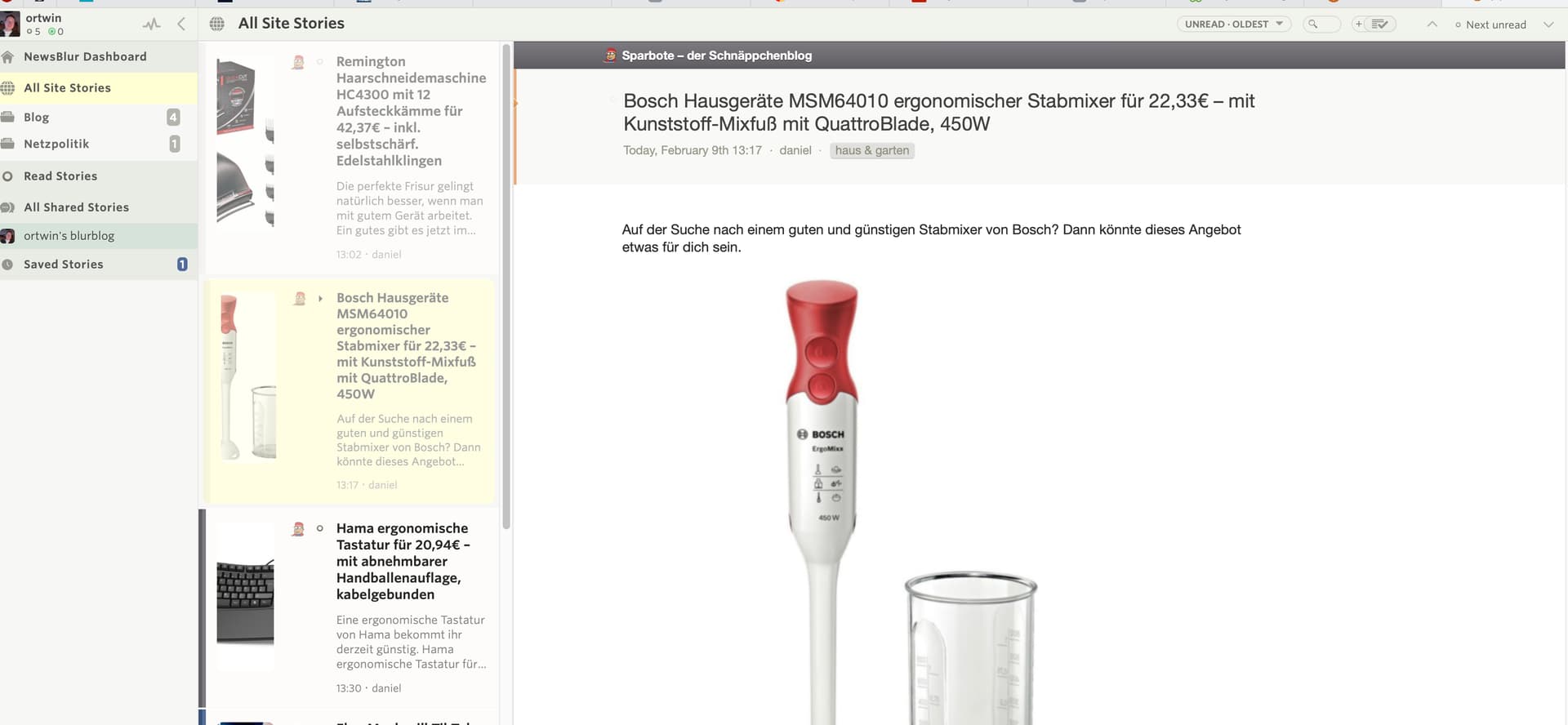
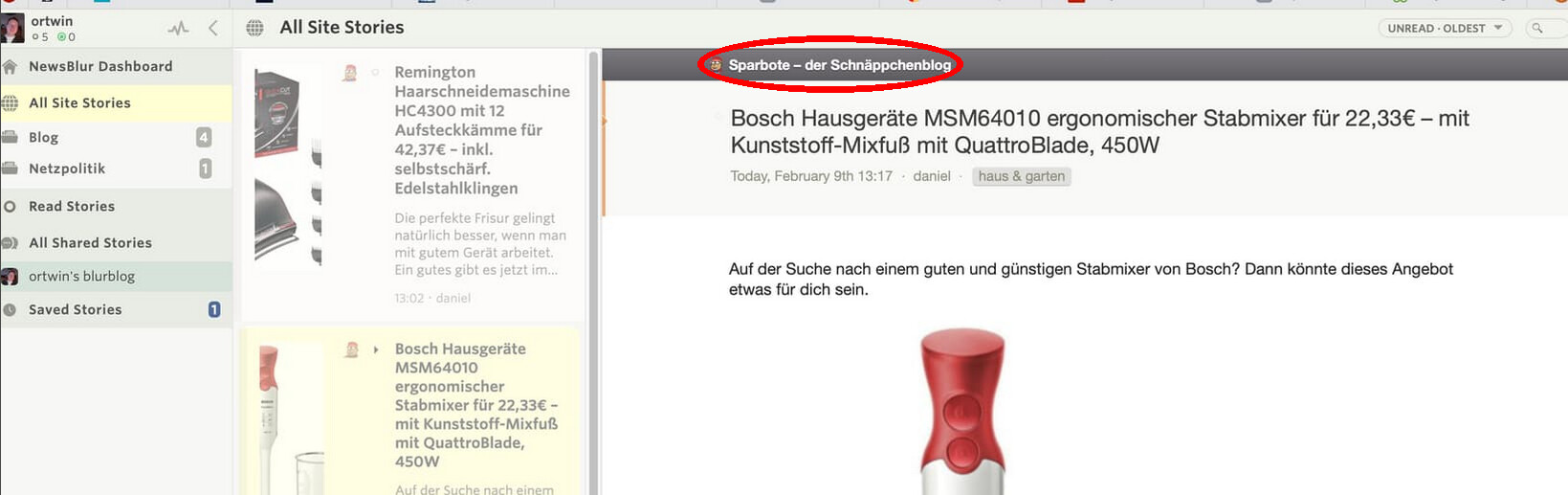
I would like to have an easy way to jump from reading a feed in the „all site stories“ list to it‘s entry in the feeds list, so that I could easily unsubscribe from the feed.
Holger
I would like to have an easy way to jump from reading a feed in the „all site stories“ list to it‘s entry in the feeds list, so that I could easily unsubscribe from the feed.
Holger
I am assuming you mean on the web, if so. You can just right click on the feed or click the arrow/dropdown to the left of the feed and then delete from there. Unless I am misunderstanding where you mean you want to unsubscribe from.
I suggest implementing a shortcut that allows users to jump directly to the feed.
Right I see what you mean, I don’t use it in split view so wasn’t sure what you were using/see. I now see how this could be a little awkward to do the way you said, I tried it and it doesn’t show the delete feed option in that view. Will have to wait for @samuelclay to see this and comment as to find out if this is possible.
Yep, you should be able to click on the feed title and that will take you to the feed for unsubscribing/management.
This works on the Web version of Newsblur, but oddly not in the apps (MacOS or iOS). It would be rad to add a “Go to feed” or “Manage feed” button in the app’s story view Gear icon.
Terrific idea! We actually have this on Android, so I’ll add it to the iOS story manage menu. It’ll be in the next, next release in a week or two.
Thanks much Mr. Clay!