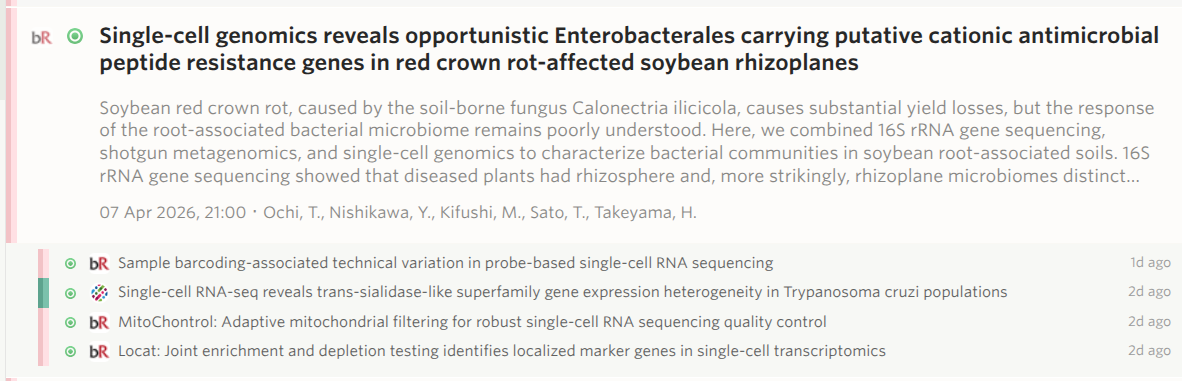
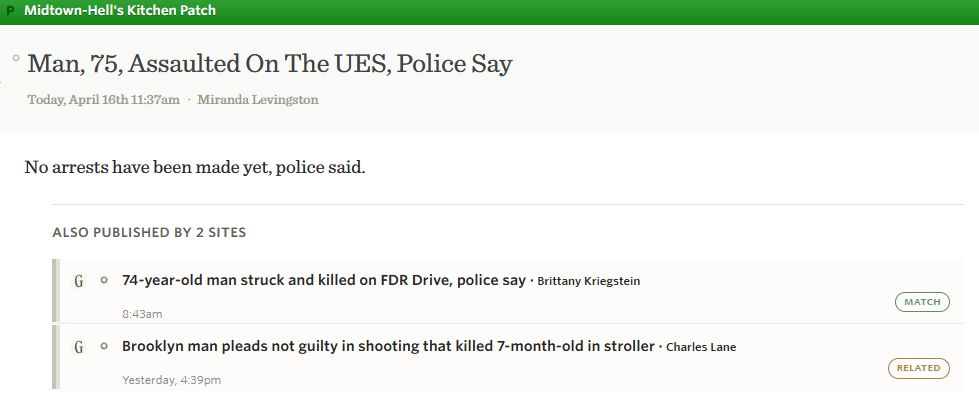
Story clustering: automatically group duplicate stories across your feeds

  <p>If you subscribe to more than a handful of news feeds, you’ve hit this problem: a story breaks, and suddenly the same headline appears across five, ten, twenty of your subscriptions. You’re reading the same article over and over, just published by different outlets. Your river view fills up with duplicates, and the stories you haven’t read yet get buried.</p>

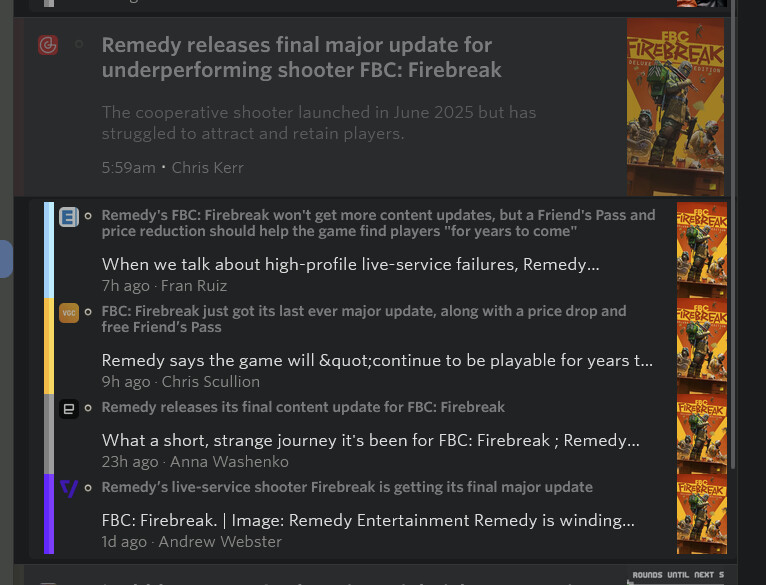
Story clustering solves this. When NewsBlur detects that multiple feeds are covering the same story, it groups them together and shows you the highest-scoring version. The duplicates don’t disappear – they fold neatly underneath, so you can still see who else reported it and jump to their version if you want a different perspective.

How it works

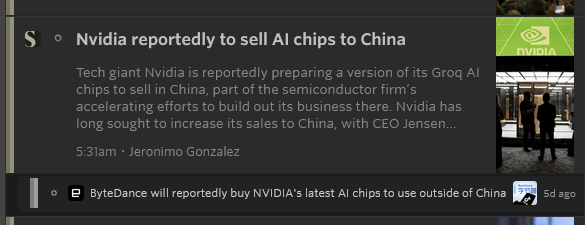
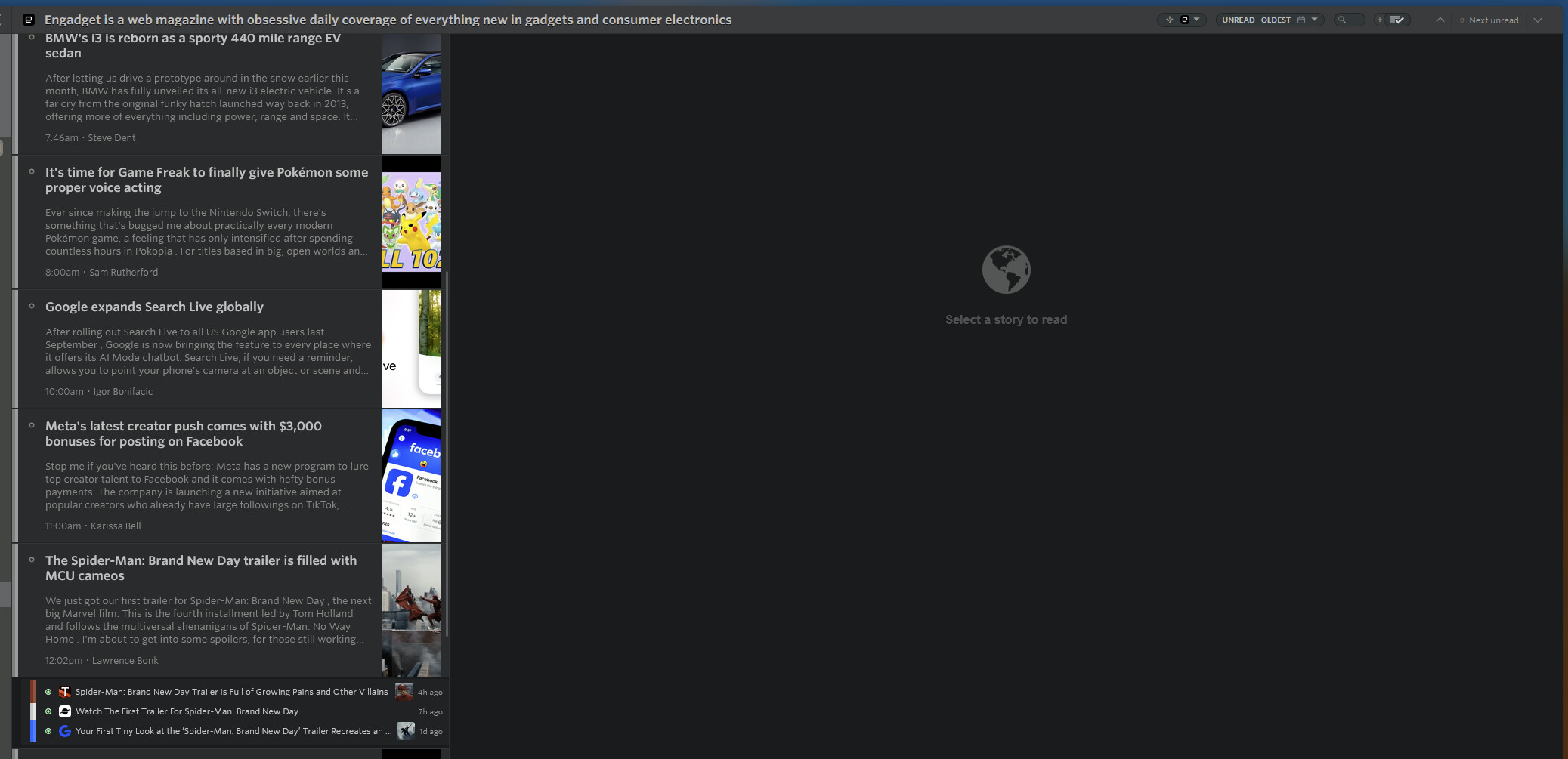
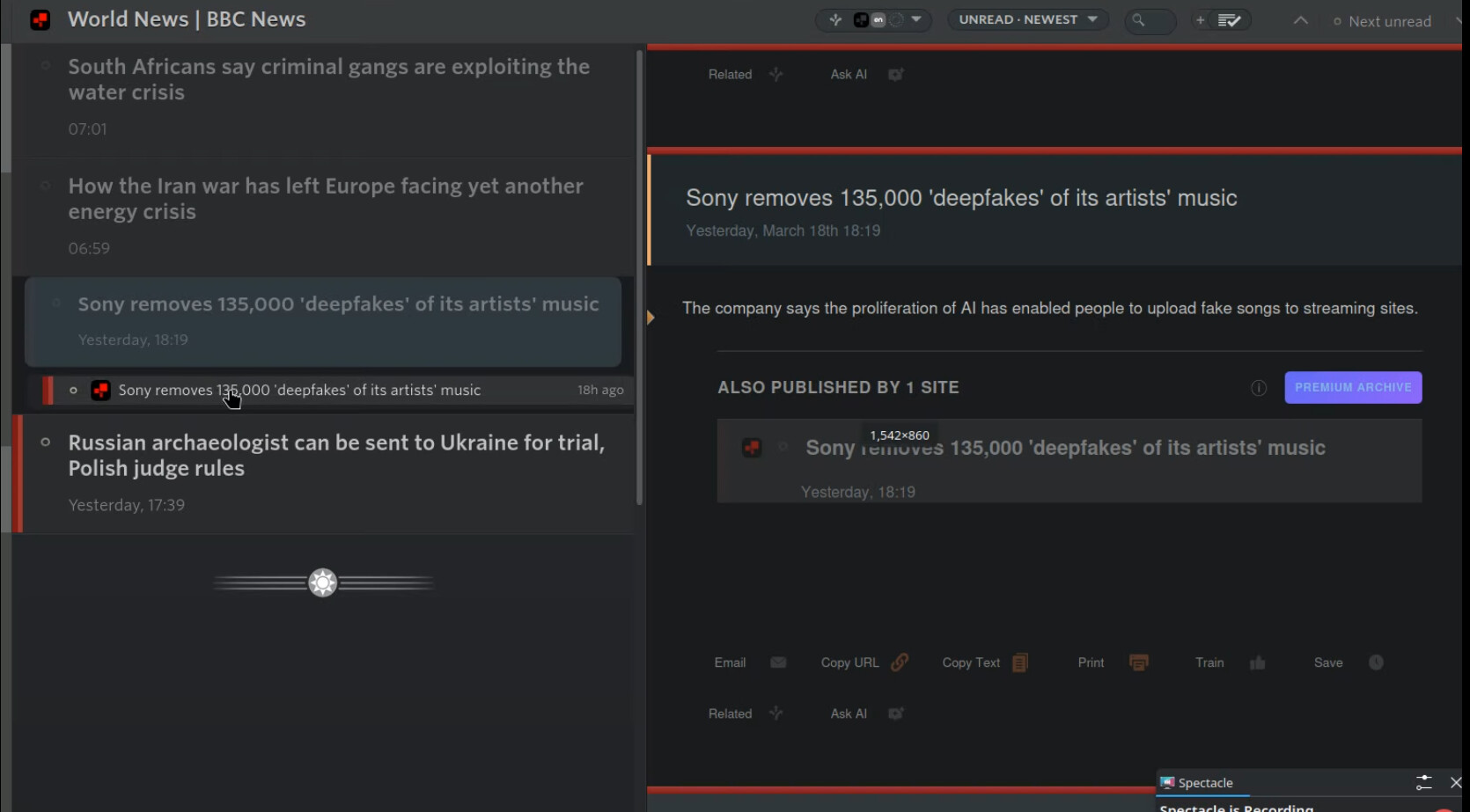
In the story titles list, clustered stories show their sources directly below the representative story. Each source shows the feed’s favicon, feed name, story title, and how long ago it was published. Click any source to read that version instead.
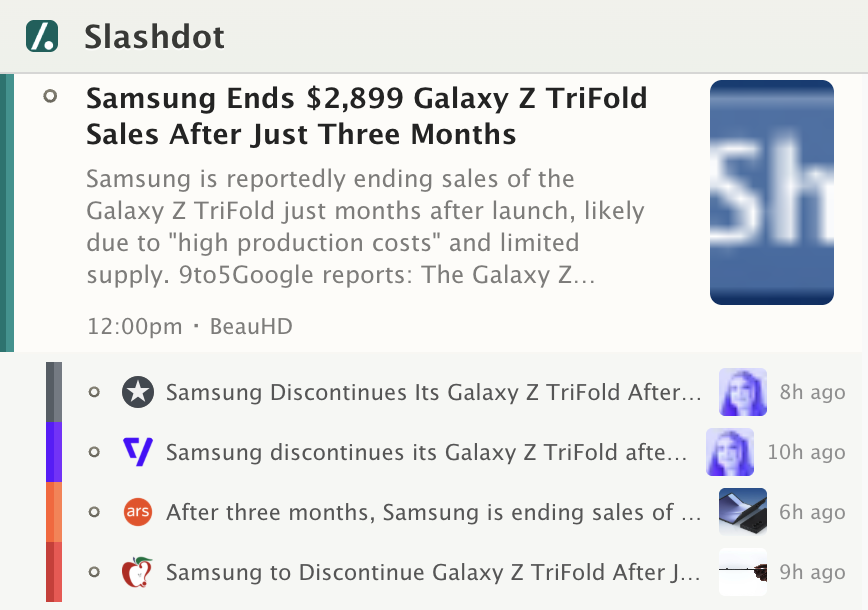
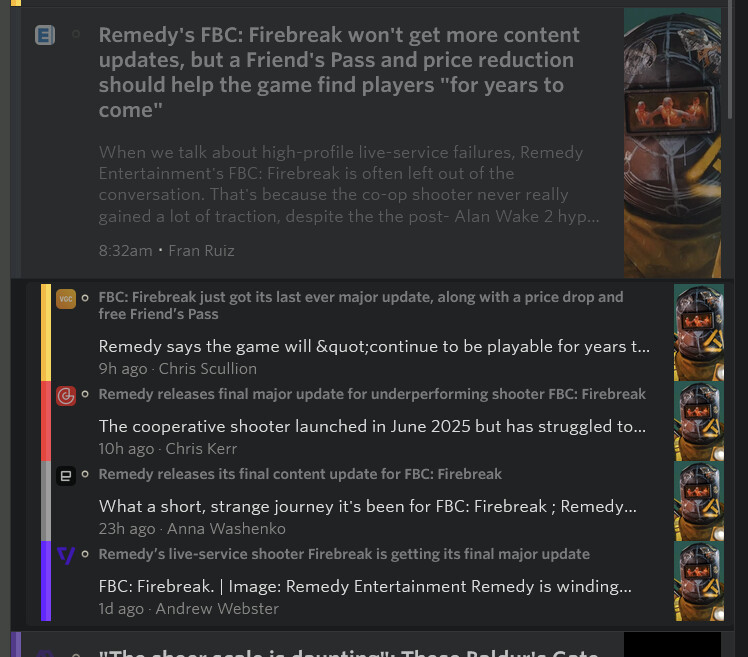
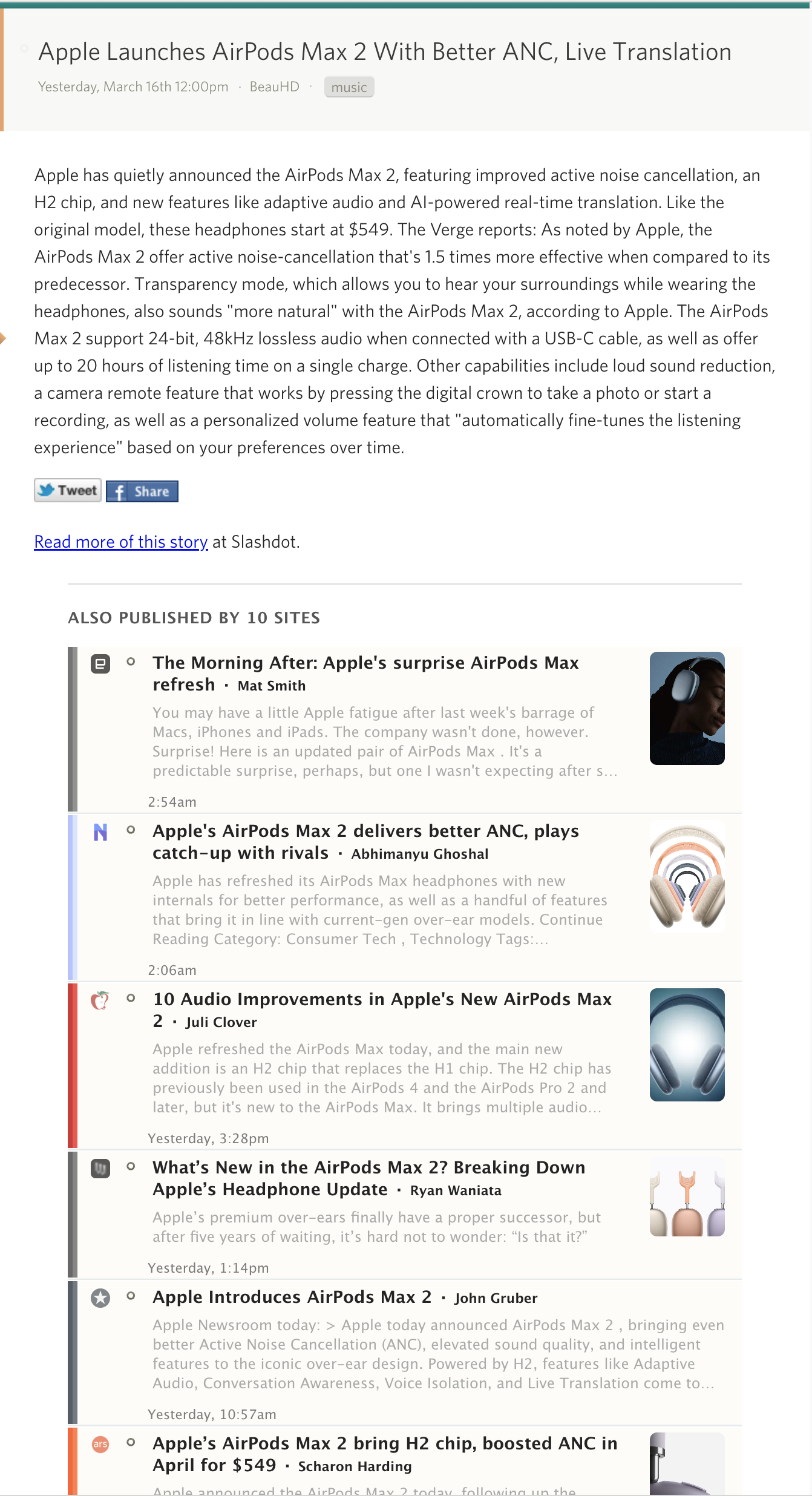
When you open a clustered story, the detail view shows rich cards for each alternative source at the bottom. These cards include the feed icon, story title, a content preview, the article’s thumbnail image, author, and date. Click any card to jump to that version of the story.
Two layers of detection

Clustering uses two complementary approaches to catch duplicates:

Title matching is the fast, obvious check. NewsBlur normalizes story titles (lowercasing, stripping punctuation) and groups exact matches. But it also does fuzzy matching using significant-word overlap – so “Apple Announces New iPhone” and “Apple Reveals the New iPhone at WWDC” will still cluster together, even though the titles aren’t identical.

Semantic matching goes deeper. NewsBlur sends each story’s title to Elasticsearch’s more_like_this query, searching across all your subscribed feeds for articles covering the same topic. This catches stories that are about the same event but written with completely different headlines. The two layers are merged, so title matches and semantic matches combine into a single cluster.

Clustering runs automatically in the background every time a feed updates. Results are cached for 14 days, so clusters are ready instantly when you load your river.

Mark duplicates as read

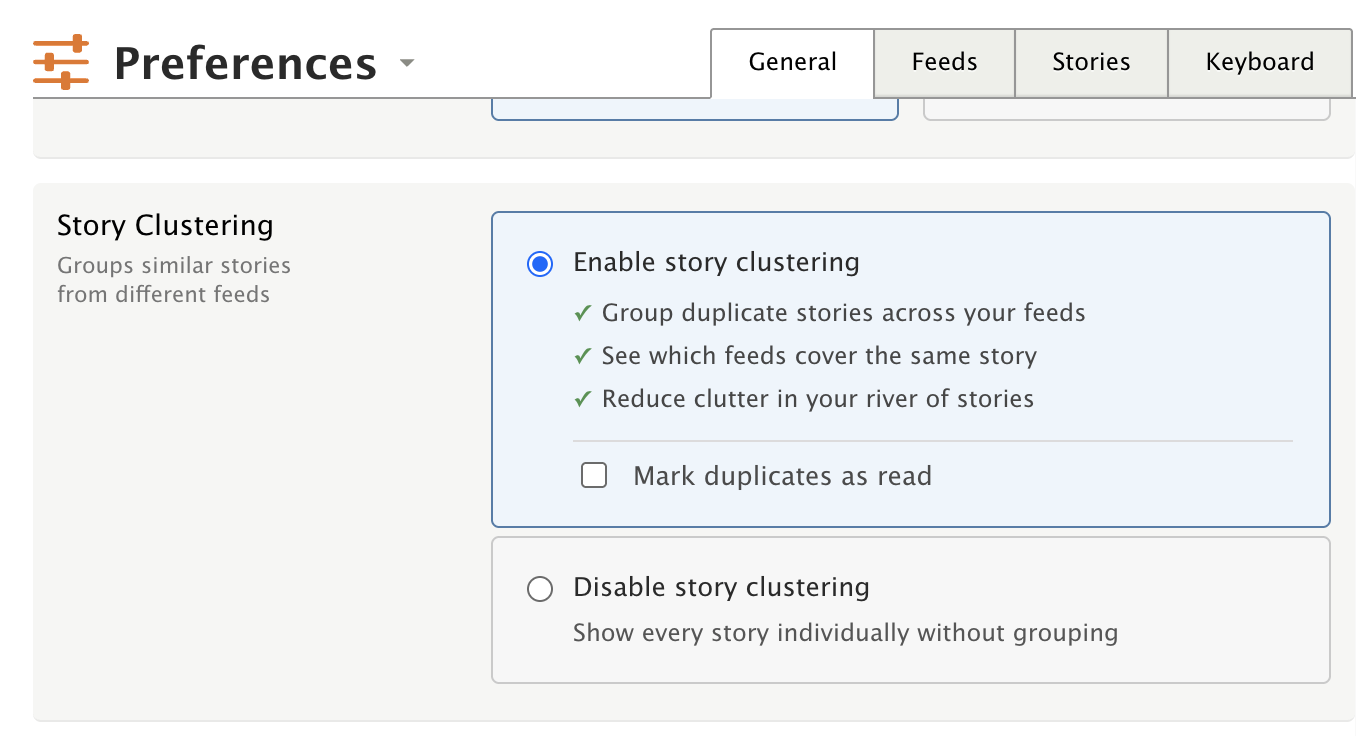
When you read a clustered story, you can optionally have NewsBlur mark all the duplicates as read too. This is off by default – enable it in the feed options popover under “Story Clustering” or in Manage > Preferences > Stories.
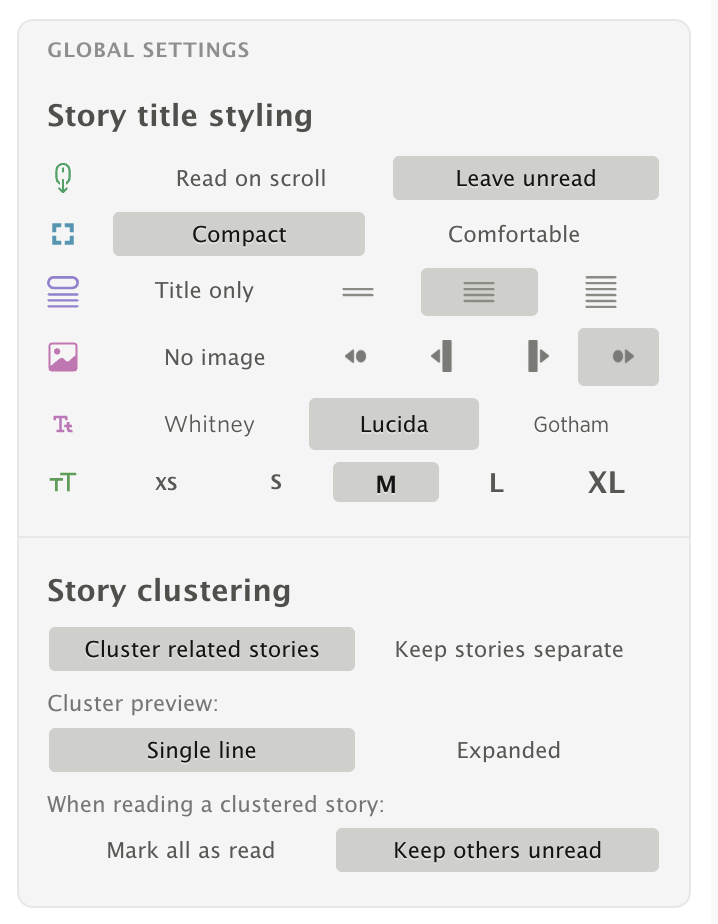
There are two controls:

  • Cluster related stories / Keep stories separate – Toggles clustering on or off. When enabled, duplicate stories are grouped in your river view. When disabled, every story appears individually as before.
  • Mark all as read / Keep others unread – When you read the representative story, this controls whether the other stories in the cluster are automatically marked as read.

The same options are available in the global Preferences dialog under the Stories tab.
Availability

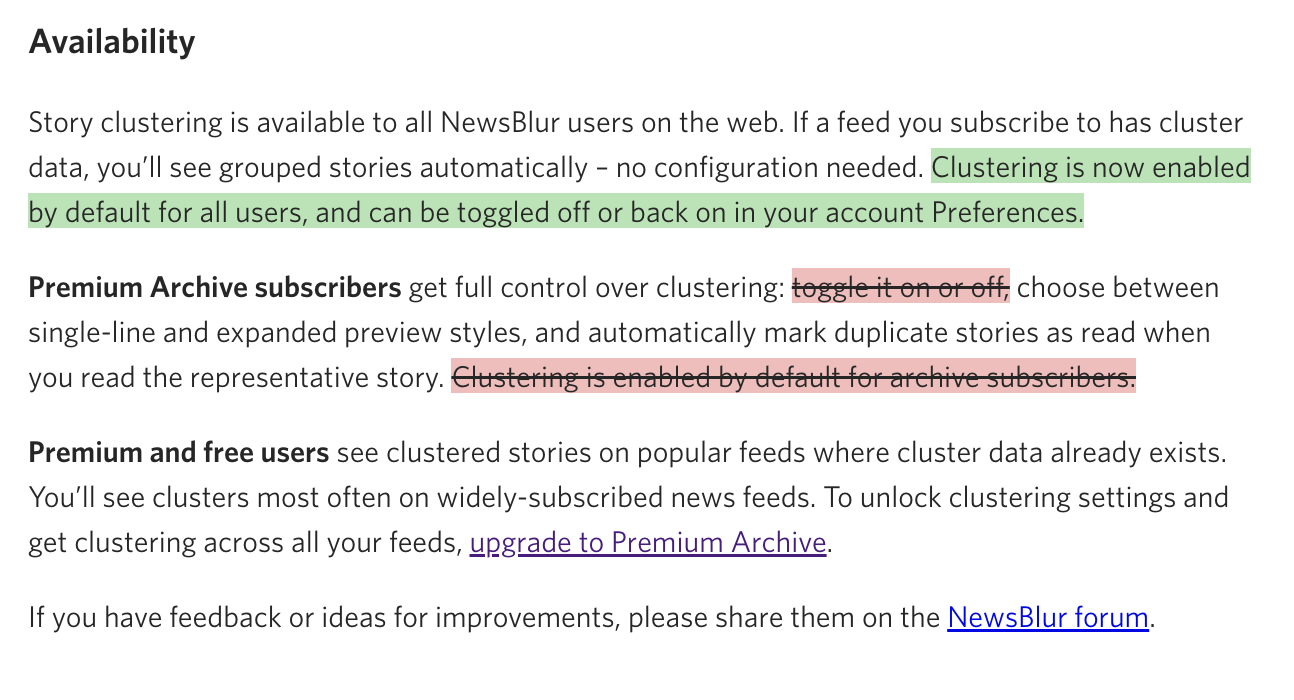
Story clustering is available to all NewsBlur users on the web. If a feed you subscribe to has cluster data, you’ll see grouped stories automatically – no configuration needed. Clustering is now enabled by default for all users, and can be toggled off or back on in your account Preferences.

Premium Archive subscribers get full control over clustering: choose between single-line and expanded preview styles, and automatically mark duplicate stories as read when you read the representative story.

Premium and free users see clustered stories on popular feeds where cluster data already exists. You’ll see clusters most often on widely-subscribed news feeds. To unlock clustering settings and get clustering across all your feeds, upgrade to Premium Archive.

If you have feedback or ideas for improvements, please share them on the NewsBlur forum.


This is a companion discussion topic for the original entry at https://blog.newsblur.com/2026/03/18/story-clustering/
1 Like

Samuel, Story clustering sounds like a great feature. Unfortunately I don’t see that option anywhere in my Preferences settings. I’m currently using the web browser version on Safari. Any idea how to find it?

Thanks

Make sure you reload the page so that you load the latest code. You’ll see it automatically on any stories that get clustered, since it’s automatically turned on for all users. If you’re not a Premium Archive subscriber, then you won’t see it on as many of your feeds, because you’re only benefiting from other Premium Archive users who are subscribed to the same feeds as you are.

That said, you can see the options under the feed options pop over, which is in the top right of the screen when you open a feed, and you can configure it there. You can also enable and disable it in the global preferences dialog.

Reloading the page was the key, now I see it. Thanks!

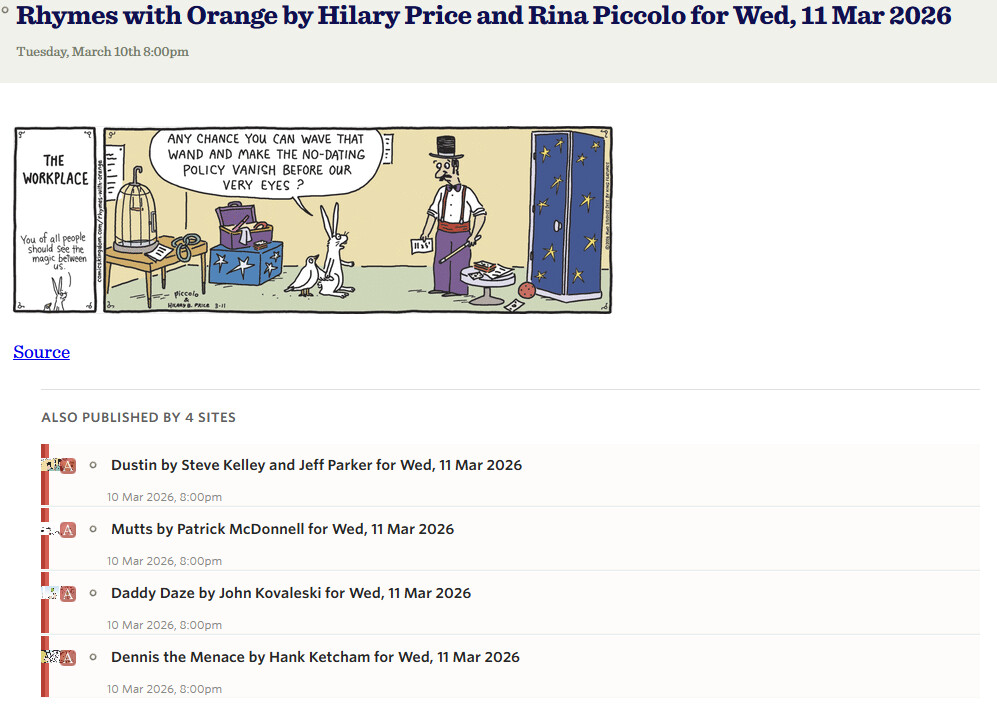
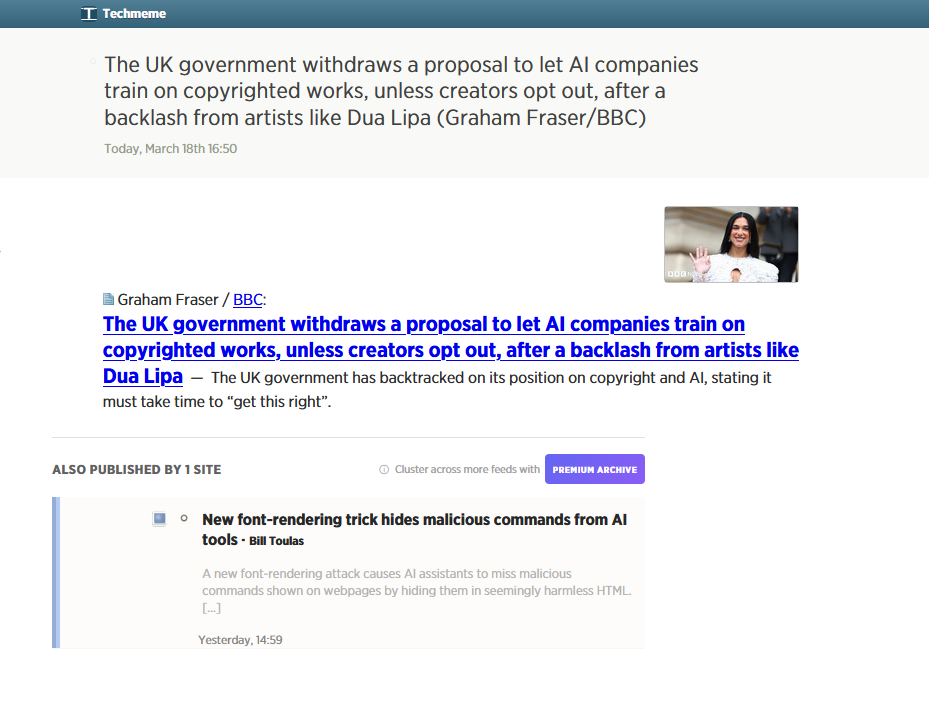
Great news and great feature! At least in one instance, though, I’ve noticed that the related story is not actually related (see attached screenshot). I guess the feature is not yet perfect, I just wonder why that happens. Great job otherwise!

This is awesome! Reading the announcement as a Premium user I was a little nervous about this feature not being able to toggle off (I’m going to try it, but it’s important to me that I’d be able to turn it off if I did not want to keep using it).

I do see in my settings I can do that – this is great, and thank you for not forcing a feature as is the way of our times. I just have a nitpick on the announcement that made me initially suspect I wouldn’t have this control:

Premium Archive subscribers get full control over clustering: toggle it on or off, choose between single-line and expanded preview styles, and automatically mark duplicate stories as read when you read the representative story. Clustering is enabled by default for archive subscribers.

Premium and free users see clustered stories on popular feeds where cluster data already exists. You’ll see clusters most often on widely-subscribed news feeds. To unlock clustering settings and get clustering across all your feeds, upgrade to Premium Archive.

Just reading this as-is, perhaps with a pessimistic mindset, this implies (to me at least) that control on/off is a feature/setting only Premium Archive subscribers get since it’s mentioned there but not below.

I know this is a nitpick and easily enough I can just see if the setting is there myself, but I am pedantic about communication lol. A strawman edit:

Story clustering is available to all NewsBlur users on the web. If a feed you subscribe to has cluster data, you’ll see grouped stories automatically – no configuration needed. Clustering is now enabled by default for all users, and can be toggled off or back on in your account Preferences.

Premium Archive subscribers get full control over clustering: toggle it on or off, choose between single-line and expanded preview styles, and automatically mark duplicate stories as read when you read the representative story. Clustering is enabled by default for archive subscribers.

Premium and free users see clustered stories on popular feeds where cluster data already exists. You’ll see clusters most often on widely-subscribed news feeds. To unlock clustering settings and get clustering across all your feeds, upgrade to Premium Archive.

(Emphasis added to my edits.)

BTW, thanks for giving Premium users access to this feature where the data already exists. Very cool and probably a good way to upsell us eventually too :smiley:

Thanks for editing, I’ll make those changes. And you’ll be able to see them with the “Show Story Changes“ button.

First, this is absolutely fantastic. I’ve encountered a bug, and I think I know what’s happening.

Here is a cluster in my News folder. Semafor is the “main” story and the Engadget one is in my Tech folder.

If I click the Engadget story to view their coverage, the browser is redirected to the Engadget feed in the Tech folder (I can see the URL and the selection UI in the sidebar), but the story does not open.

In my limited testing, if the clustered story is in the same folder, it opens correctly.

Seems the clustering thinks all the feeds from comicsrss.com are the same, even though each is a distinct comic strip. I guess it doesn’t look at the image content at all?