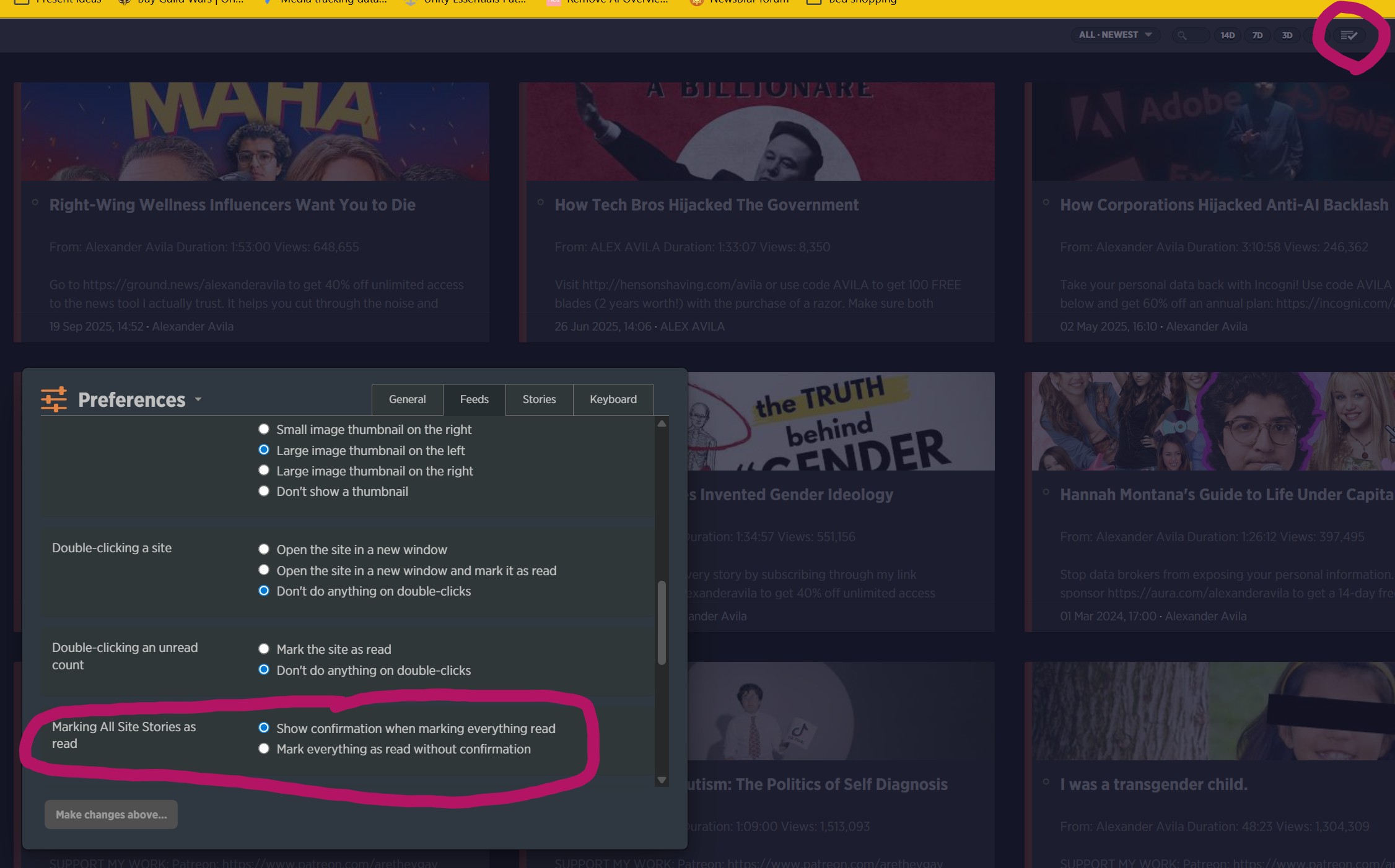
I don’t have any use for the ‘mark all stories as read’ button, and have it set to ‘show confirmation’ when clicked. Unfortunately, while looking for something else, I clicked the button and it marked all stories as read under a folder without asking for confirmation first 
Image shows the button I pressed and the setting that I would expect to apply to it, just in case they’re unrelated.
Time to go through all my feeds and mark unread again…
Side note: I would love to turn off this button on the UI entirely via a setting!
Thanks!
It only applies to the All Site Stories folder. Right now, I am going to expand it to three options:
-
Folders only
-
Folders and feeds
-
No confirmation at all, which is going to be the default in your case
If you want to hide the button entirely, you can do that with custom CSS. (Manage > Account > Custom CSS):
.NB-feedbar-mark-feed-read-container {
display: none;
}
2 Likes
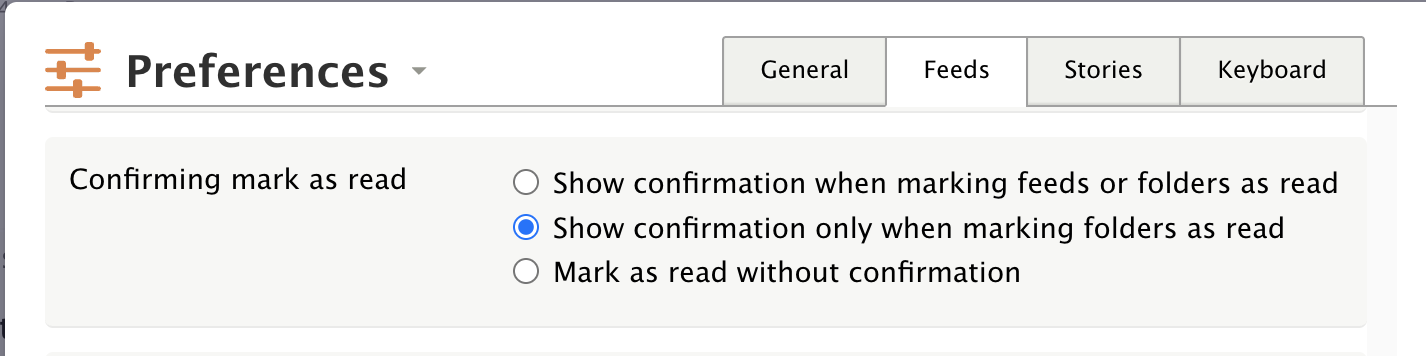
I just pushed a fix that expands the preference to three options:
- Show confirmation when marking feeds or folders as read
- Show confirmation only when marking folders as read
- Mark as read without confirmation
This now covers all forms of marking as read: the button, the time-based options (1d, 3d, 7d, 14d), and the Shift+A keyboard shortcut. The confirmation itself is now an inline prompt in the feedbar rather than a full modal.
This is now deployed.
1 Like