Hello,
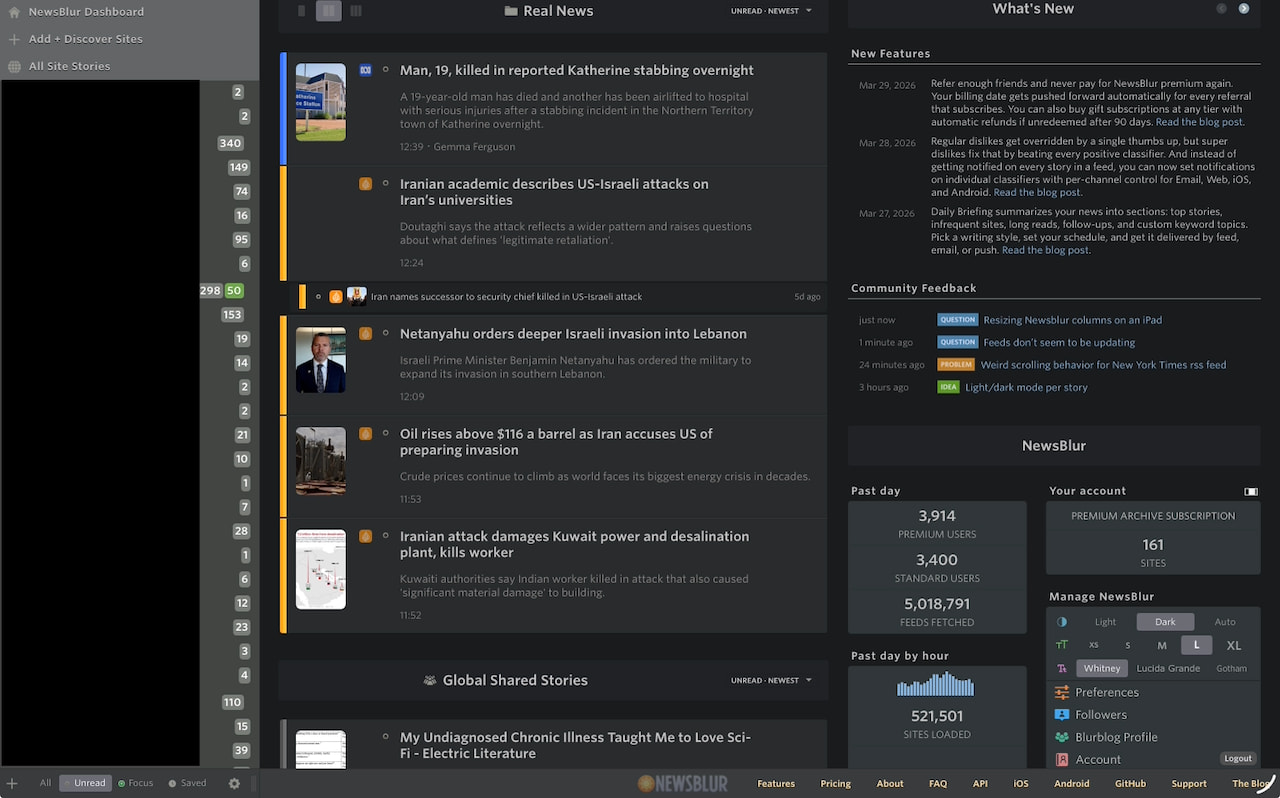
I’ve been trying to use the Newsblur web interface on my iPad, in Safari, in landscape orientation. This mostly works fine, but, the leftmost column, where the list of feeds is, is too wide, which makes the list of articles and then the actual article content too narrow for my liking.
However, try as I might, I can’t get the interface to resize on the iPad. The touch UI doesn’t seem to trigger the little “grip handle” that is visible and for this exact purpose. Note that this works just fine on my desktop, it’s just on the iPad that I can’t seem to do it.
Am I missing something obvious, or is there a trick to getting this to work?
Thank you!
Just retooled how this resize handle works, and it should be working pretty well on iPad. What column mode are you in? Auto/2/3/full screen? I suggest using Auto, since I just tested it and its working well to resize both the feed list and the story titles list.
I must be in moron mode, as I just can’t get it to work. I’ve closed the Newsblur tab, opened a new tab, went to Newsblur and no matter what I do, I can’t resize that left most column. I have tried pinch/zooming as well, to make it larger. No joy.
For the Style/Story view, I’m in Auto mode, if that’s where you mean for the Auto/2/3/.
Happy to upload a picture if it helps to show where I’m trying to tap and where it’s not working.
Update - I have managed to somehow make it infinitely worse. I thought that by using my Apple Pencil it would be more precise, and somehow, something “happened” and indeed I could resize. Sadly, it seemed stuck to my pencil and as I pulled the pencil away and to the right, I now have a feed list which takes up about 80% of the screen.
Since I know it can be somehow resized, I’ll keep poking at it.
A video or screenshot would be helpful!
Enough mucking about with it and somehow my Pencil again “caught” something and the column started resizing, I managed to get it to the ideal location to the left, and tapped the screen, which seemed to release it. Progress!
I also use the Stage Manager feature; but Safari is full screen and there are no other applications or windows visible. Just mentioning in case using Stage Manager impacts things.
I’ll upload an image in a moment of what I’m trying to grab.
What I was trying to do:
On the bottom row after All Unread Focus Saved, and the gear icon, I was trying to grab the ||| symbol with my finger, or with my Apple Pencil, and move it to the left. When you hover over that icon on the desktop, it turns into a <>, which is when I would drag it and it resizes fine.
However, on the iPad, the <> never appears, as there’s not really a “hovering” that you do.
At some point, however, using the Pencil, something catches on something, I don’t know if it’s the ||| icon, or the line to the right of it, or what, but, without my Pencil touching the iPad, moving it left and right would resize the column.
After doing it wrong and making almost the entire page my feed list, I kept poking at it with the Pencil and even though nothing visible changed (<> never appeared), something triggered and the movement of the Pencil worked again. I slowly moved to the left, and then when it was the right size, I tapped the screen, and ta-da, it’s now where I want it.
Ohh you’re using the website on your ipad. Why not use the official ipad app?
This is a great question, and there are a few reasons.
First of all, I’ve found the iPad app a bit glitchy. For example, it’s regularly the case that the iPad app will say there are articles unread in a given feed and when I select the feed, there’s nothing there. Similarly, if I mark a feed as read (such as by scrolling, or using the tick mark to mark it all as read) the unread article count also remains.
Sometimes, if I select another feed, and then go back to the feed with the wonky unread count, it will display more articles, and eventually get to 0 and vanish from the list of “feeds with unread content”.
This does not happen on the web interface. It also doesn’t seem to happen on the iOS app.
Secondly, there are instances where new features seem to come out for the web version first, or are web-only. The most important of which for me is the currently superb feature of article clustering. This has been a dream-feature of mine of RSS readers since day nought.
There were probably a few other features where this was the case, and it makes sense, it’s probably easier to update the web-version than update an app and get it pushed out through the various app stores.
I should probably provide better feedback on the iPad glitches I encounter, but the path of least resistance was to simply use the web version, which mostly worked great.