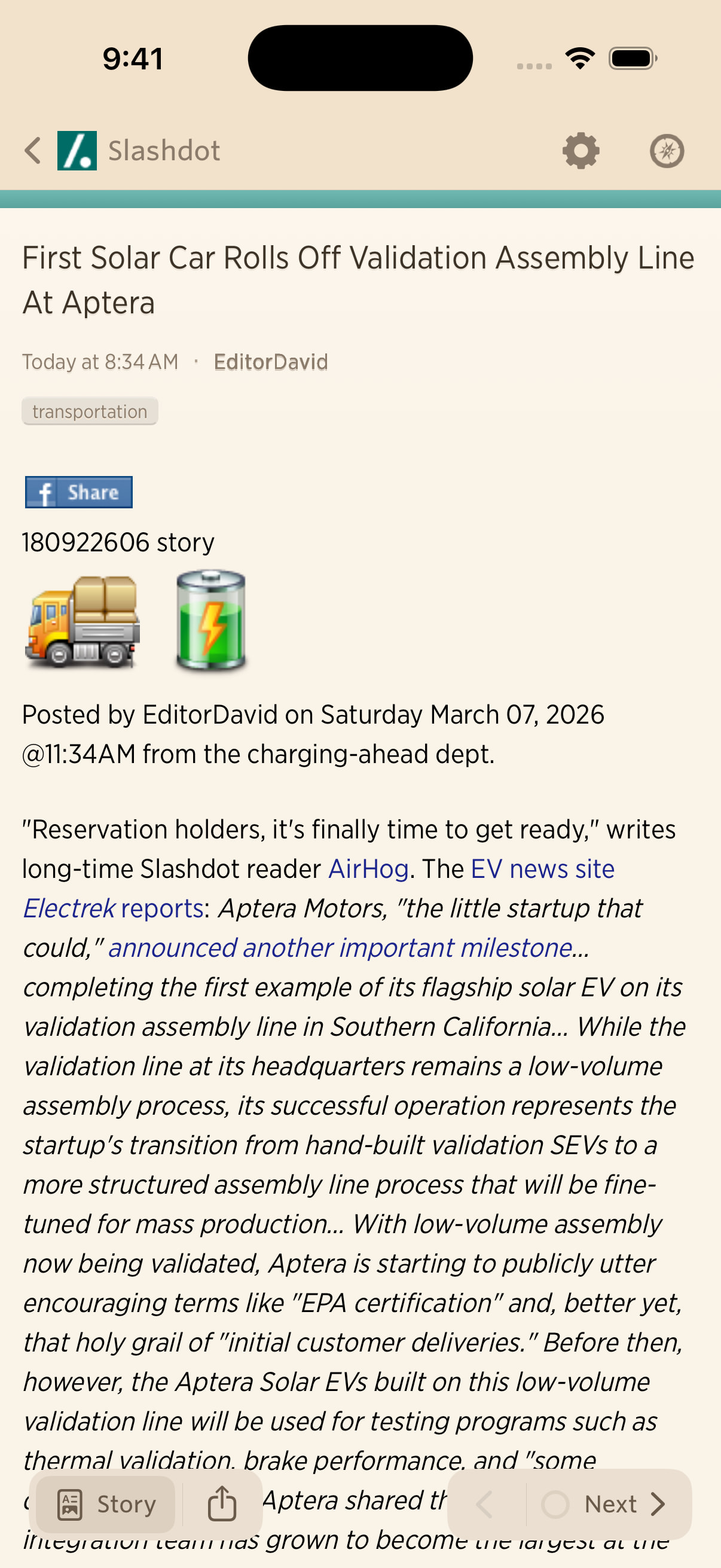
On iOS client, some icons in some feeds like slashdot are huge. I’ve recorded a video to show you what I see: https://youtu.be/w6zVio3qf5s
Is there a setting or configuration I can change to prevent those icons becoming so huge?
On iOS client, some icons in some feeds like slashdot are huge. I’ve recorded a video to show you what I see: https://youtu.be/w6zVio3qf5s
Is there a setting or configuration I can change to prevent those icons becoming so huge?
A genuine bug! I’ll get it fixed in the next, next release. I have a net release that’s already been submitted to the App Store and will hopefully be out shortly. But I’ll try to get this fixed for the release after that.
Okay, this is going to be fixed in the next update, and kind of see what it looks like here.Thanks for reporting this.
Awesome! I’ve been putting up with it for years, glad I decided to finally say something 
Still seeing the huge icons on slashdot feed with Newsblur on iPad version 14.5.1 (327) Not sure if the update you mentioned has been pushed out yet or not.
Can you post another screenshot? I don’t see those icons in my Slashdot feed.
This feed: https://rss.slashdot.org/Slashdot/slashdotMain
New video of bug: https://youtu.be/NF34xu8udCE?si=tmobP8U6OhbcpRMr
let me know if you need anything else