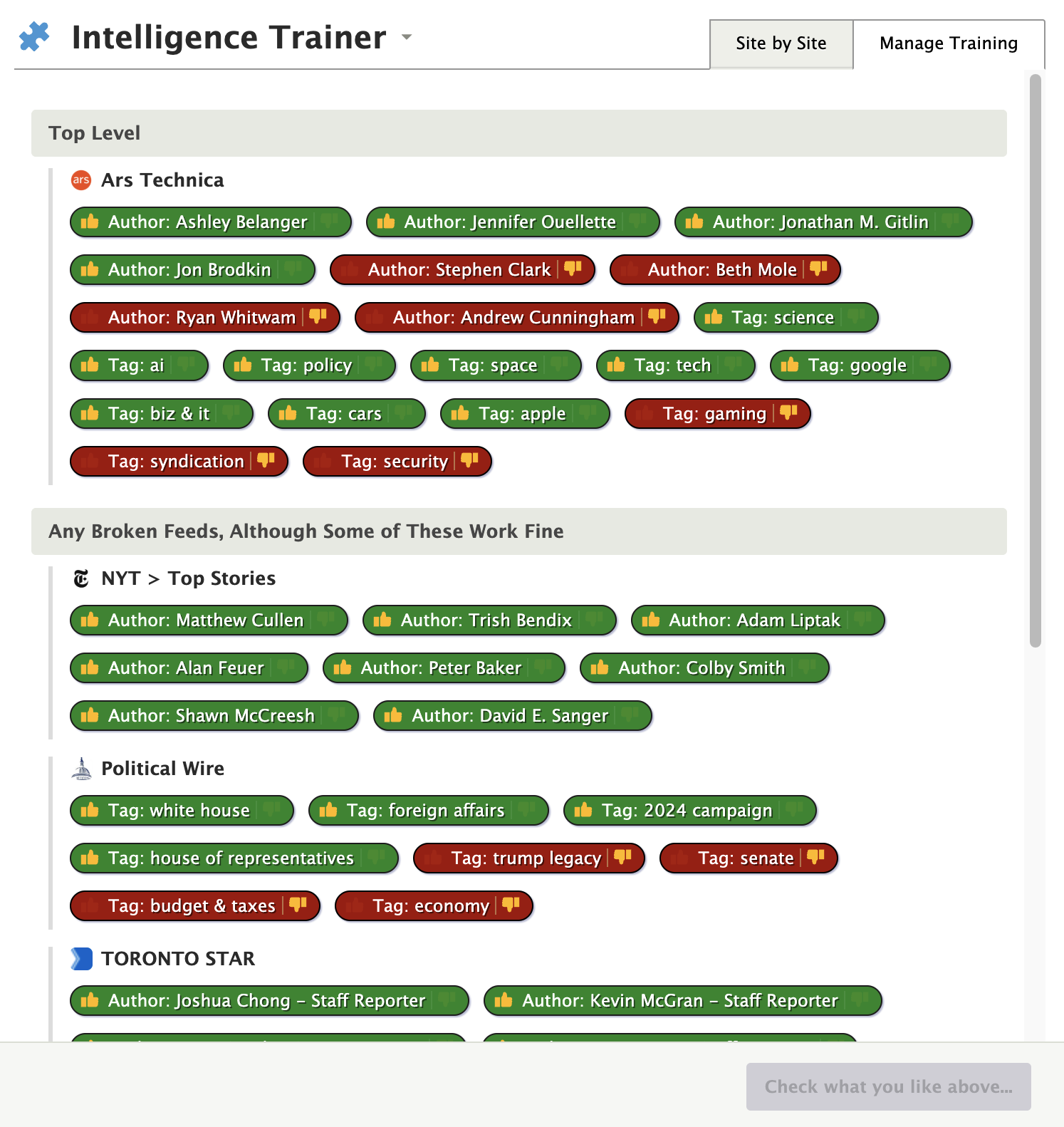
I mostly did intelligence training when I started using Newsblur 10 (?) years ago.
Now, especially with the new features, I’d like to improve my setup, but I have no idea what training input I gave in the past. How can I check and correct this?
I mostly did intelligence training when I started using Newsblur 10 (?) years ago.
Now, especially with the new features, I’d like to improve my setup, but I have no idea what training input I gave in the past. How can I check and correct this?
You can do this with the API if you are familiar working with the command line, I do it now and then with my feeds to check the training I have and if I can remove any (eg I may have trained to ignore CES2024 in title but that’s now long over so pointless being there).
I can share what I did if you are familiar with doing this sort of thing. It’s is pretty crude but it works for what I needed.
Share please! Esp if it’s something I can turn into a feature for everybody. I think a global view of training would be an amazing feature.
So this is what I have … bear in mind it was just what I needed and not that generic
DATE=$(date +'%Y%m%d')
curl --cookie-jar cookie -d username="<yourNBusername>" -d password="<yourNBpassword>" https://www.newsblur.com/api/login
curl --silent --cookie cookie https://www.newsblur.com/reader/feeds -o $DATE-feeds.json
jq -r '.feeds[] | [.id, .feed_title, .feed_address] | @csv' $DATE-feeds.json > $DATE-feeds.csv
cat $DATE-feeds.csv | awk -F',' '{print $1}' > $DATE-feed_ids.txt && echo "Number of Feeds: `wc -l $DATE-feed_ids.txt`"
while read id; do echo "----- $id -----"; curl --silent --cookie cookie https://www.newsblur.com/classifier/$id; printf "\n"; done < $DATE-feed_ids.txt | tee $DATE-training.txt
its pretty basic and you end up with a few files that show your training for that feed, I was gonna make it prettier but never got round to it, I was doing it steps as well so some could be consolidated.
20260113-training.txt I'd then have
----- 1778 -----
{"code": 0, "payload": {"feeds": {}, "authors": {}, "titles": {"Android": -1, "Beta": -1, "Long": -1}, "tags": {}, "texts": {}}, "result": "ok", "authenticated": true, "user_id": myuserid}

then I can look up in 20260113-feeds.csv
1778,"Google Chrome Releases","https://feeds.feedburner.com/GoogleChromeReleases"
maybe @samuelclay you could clean it up and it could be somewhere in your settings to show the training and could do more with it from there