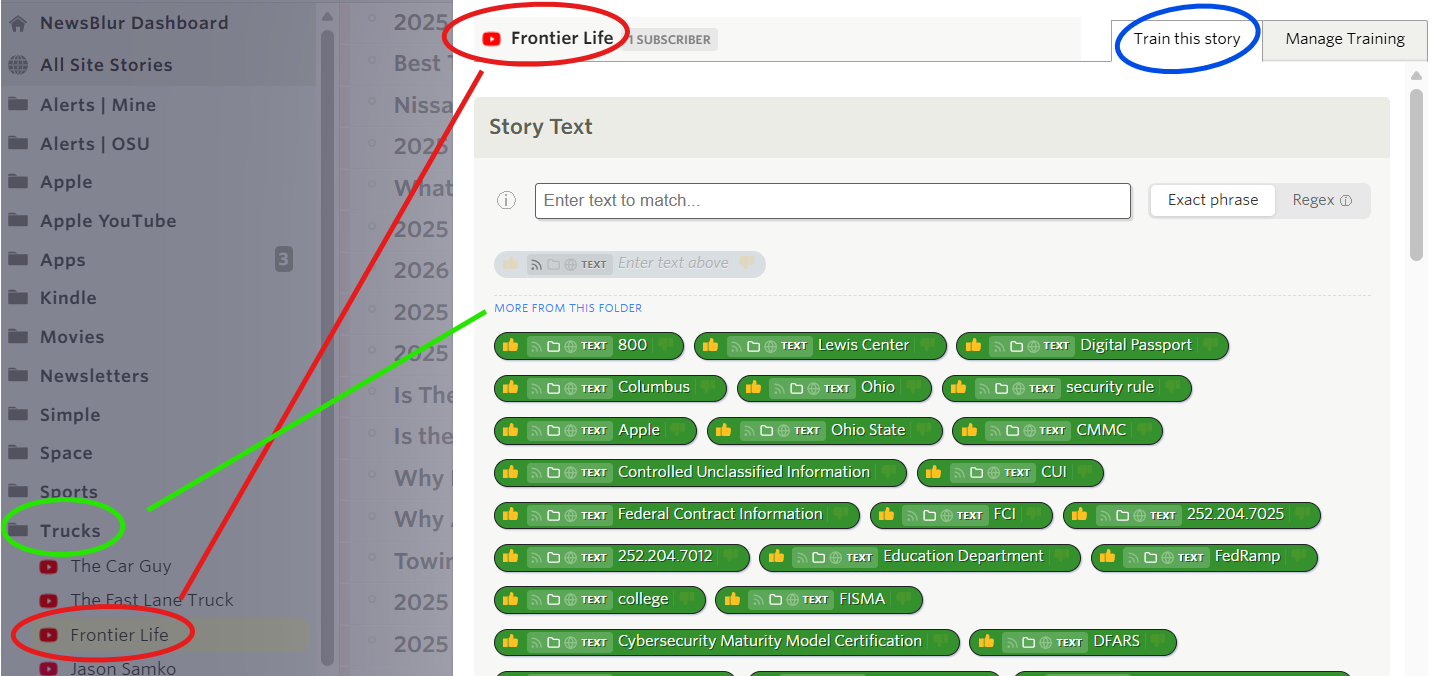
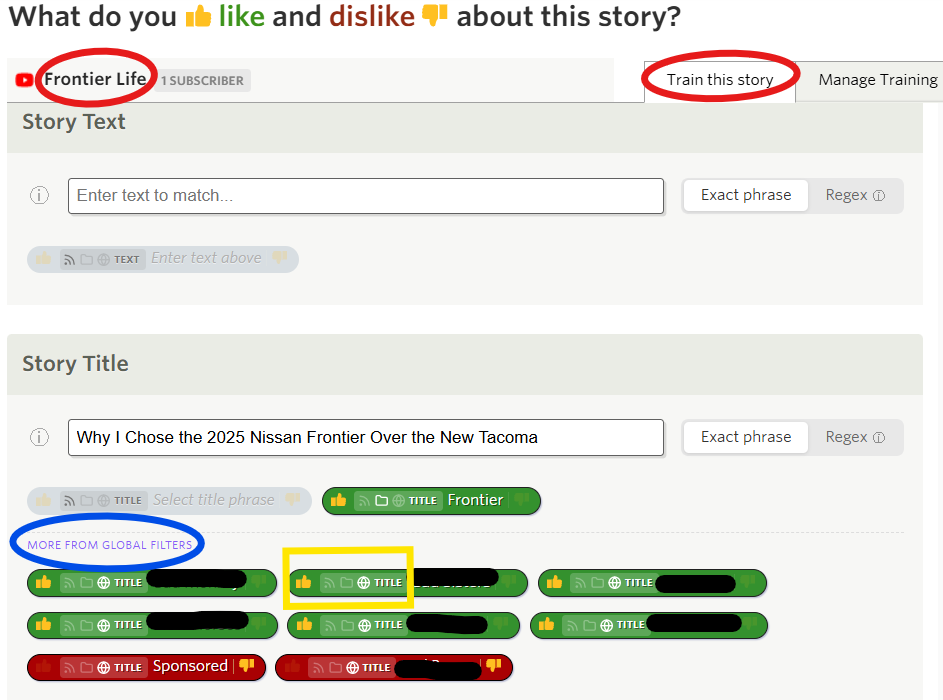
I’m in a folder called “Trucks” (green circle) as seen in the folder directory on the left side of the screenshot. In the “Trucks” folder, I’m in the “Frontier Life” feed (lower red circle). When I right click on a story in “Frontier Life” and click on “Train and Filter,” the “Train this story” window opens (blue circle). In this window, it says “Frontier Life” in the top left (upper red circle). The green line connects the “Trucks” folder to the line which says “More From This Folder”.
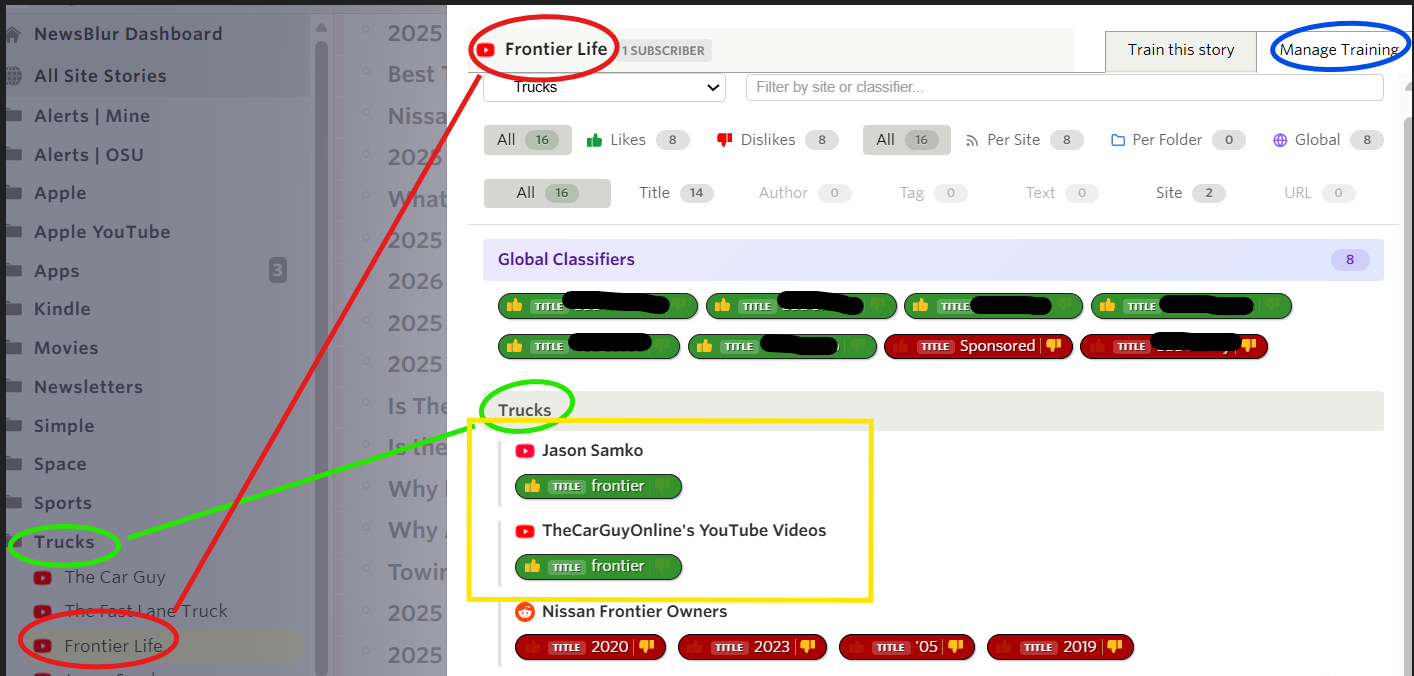
When I go into “Manage Training” in the blue circle (now referencing the below sreenshot), I’m in the “Trucks” folder (green circle on the left) and again looking at the “Frontier Life” feed (red circles/line connect the feed in the “Trucks” folder to the feed name in the training tab). The green circles tie the “Trucks” folder to the words I added to focus (yellow box)…there is only one word across two feeds in the “Trucks” folder.
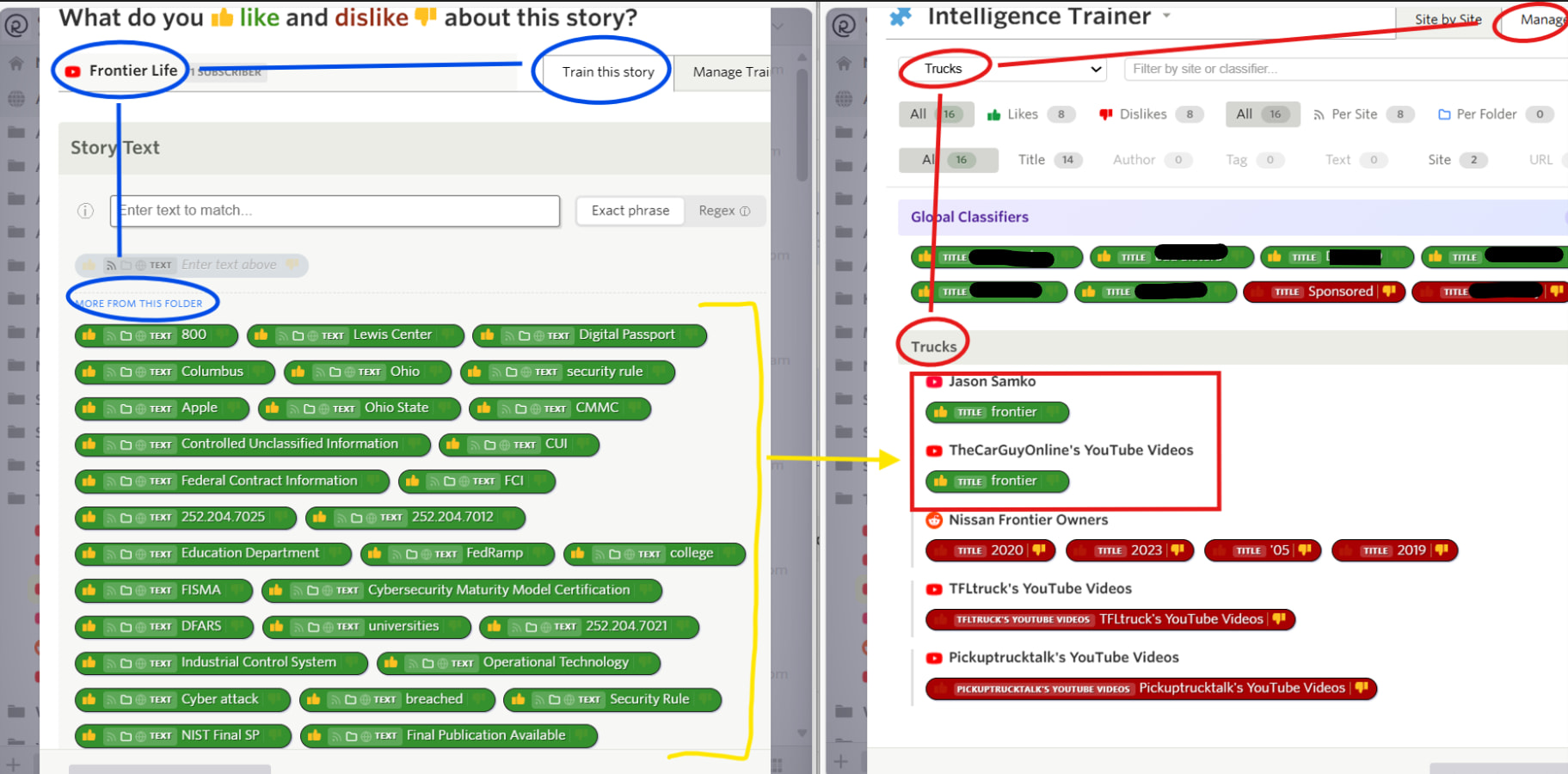
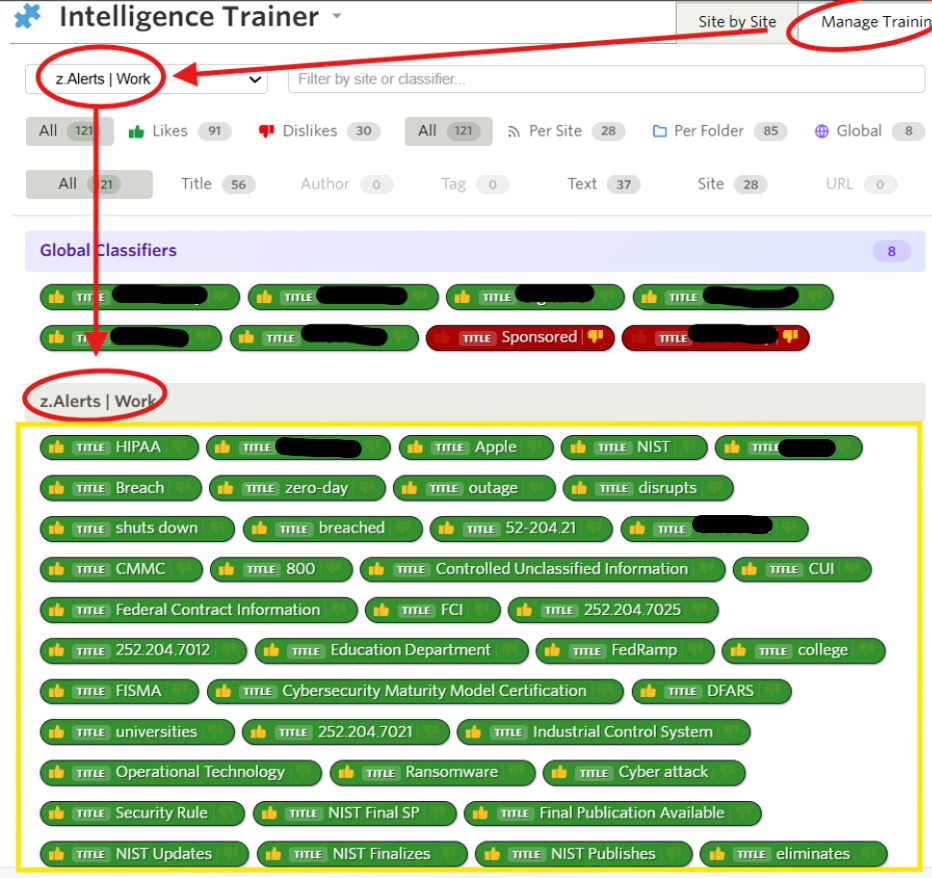
Looking at the following screenshot, shouldn’t the “More From This Folder” (circled in blue) match what is in the red square on the left? The tags in the yellow bracket only exist in a folder called “z.Alerts | Work.”
Great catch, this was a real bug. The “More from this folder” section in the Train dialog was loading folder-scoped classifiers from all folders, not just the one you’re in. So when you were training in “Trucks”, you were seeing classifiers that actually belong to “z.Alerts | Work”.
Fixed now, the Train dialog filters folder-scoped classifiers to only show the ones that match the current feed’s folder. I also made it so that when you click Manage Training, the feed chooser defaults to the folder you’re currently in instead of “All Folders & Sites”.
Again, thank you. One more question…referencing the screenshot below, I’m in the “Frontier Life” feed (located in the “Trucks” folder) under the “Train this story” tab. The blue circle “More From Global Filters,” if I remove the “thumbs up” or change from global to folder or feed, will the change apply to this folder? Should “Global Filters” only exist in the “Manage Training” tab? The global filters below were not created in the “Frontier Life” feed or the “Trucks” folder.
The updates you have implemented over the past week are amazing and very much appreciated. Thanks.
Those globals filters are global and if you change them, they will apply to the folder that this feed is in. I think they should show up as global filters apply to all stories, so if it feels polluted with too many global filters, then that makes sense as those are all being applied to every story.
Hello! Please tell me, if a filter is applied to a folder, does it apply to subfolders as well?
From my observations, when I create a filter for a feed in a subfolder and apply it to a folder, that filter propagates to all feeds up to the very first folder in that branch.
@samuelclay
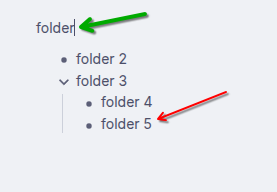
Seems folder-based filtering isn’t working quite right. In my previous post I was mistaken, but not entirely. After testing, it turns out that folder filters with subfolders don’t work correctly. For example, in the screenshot: if I filter a feed in folder 5, after applying the filter it is applied to all feeds up to the topmost folder marked with the green arrow. The most interesting thing is that in this case the counter next to the folders shows nothing, although feeds that match the criteria exist and even in the feed itself the keywords are highlighted with a green marker. If you switch the filter settings to Global or to Feed, the counter next to the folder starts showing the marked feeds.
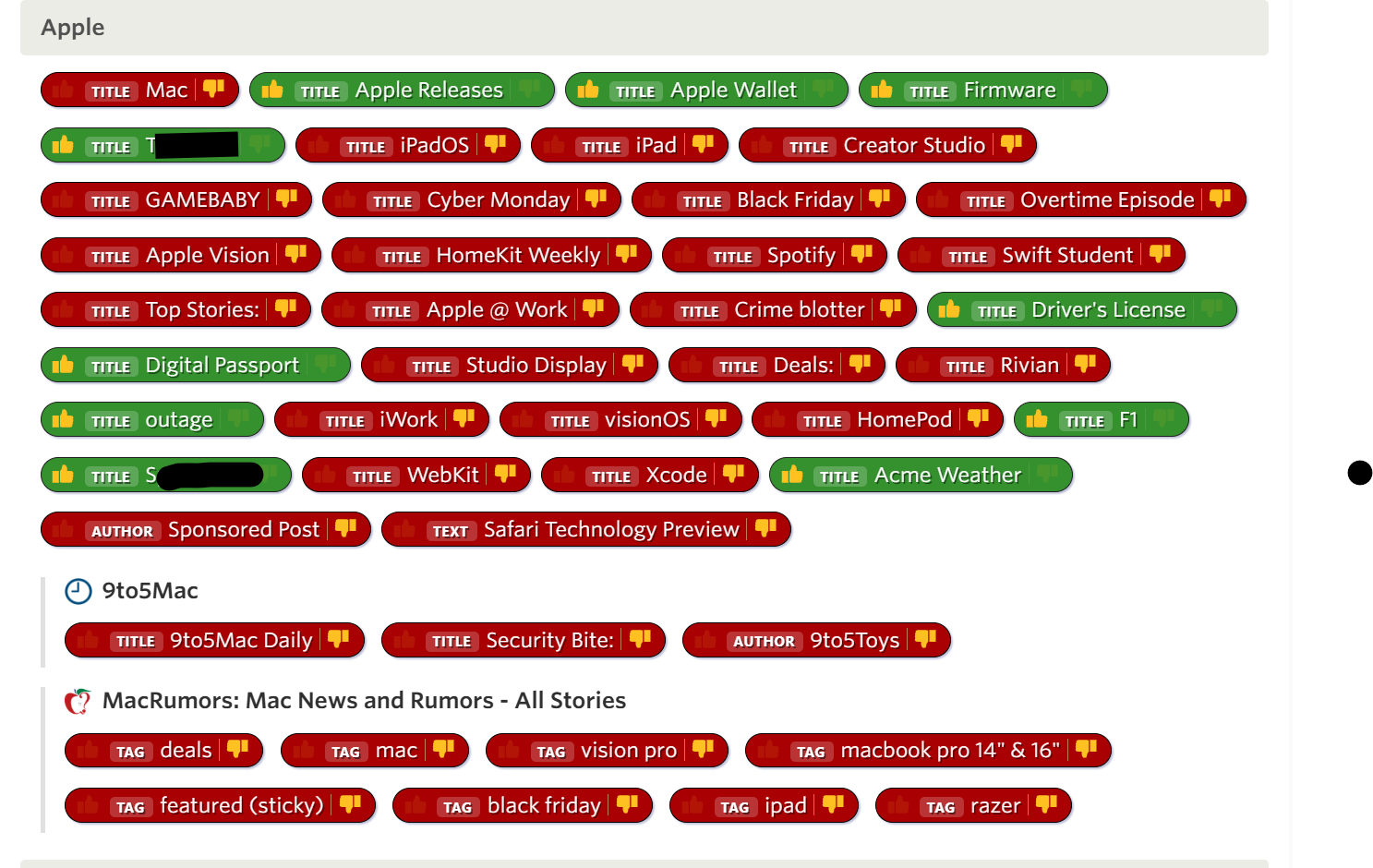
You’re the best! I dug into your account and found the source: you have a text classifier for “Apple” scoped to your z.Alerts | Work folder (it highlights “Apple” in story content in that folder). That’s what was causing the green highlighting you were seeing in your Apple folder.
There was a bug where the inline text highlighting in story content didn’t respect folder scope. It was highlighting matched text from classifiers in ALL your folders, not just classifiers that apply to the feed you’re viewing. The intelligence scoring itself (which determines whether a story shows as green/red/neutral in the story list) was working correctly and did respect scope. It was only the green word-level highlighting inside the story content that was leaking across folders.
This is now fixed. Folder-scoped text classifiers will only highlight text in stories from feeds within that folder.