When I try to enable daily briefings it refuses to save my marking.
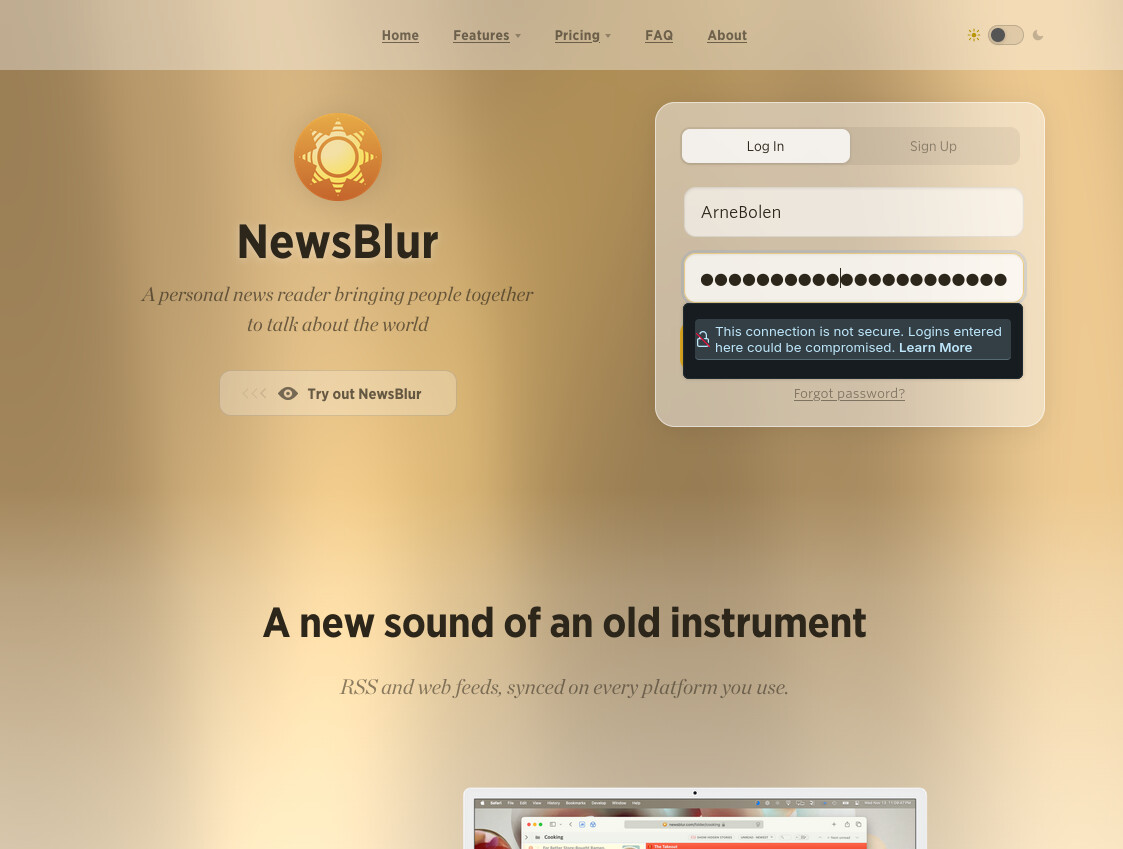
Also, when I go to Morning Daily Briefing it asks me to log in, but it refuses to accept my login credentials. The error text is “This connection is not secure”.
I use the latest version of Firefox, my NewsBlur subscription is Premium Pro.
How to resolve this annoying error?
That’s a strange one. Daily Briefings are enabled by default, so it’s just if you want to disable it that you have to change anything. Also, if you’re getting a “connection is not secure” error, I wonder if something else is going on. If you reload NewsBlur, does it load correctly?
Same here - either option Save or Disable doesn’t save.
“If you reload NewsBlur”
I have tried to reload my Firefox 149.0 browser, shut it down and restart it. Nothing helps.
Turn VPN off, Privacy Badger (free version) off, AdBlocker (free version) off, reload, still not able to disable the daily briefing.
Am using Chrome and it is up to date - Version 146.0.7680.165 (Official Build) (64-bit)
Sorry about that. I accidentally left the Daily Briefing preference as staff gated. I’ve removed that gate, and now it should work exactly as you’d expect.
2 Likes
Doh!  An easy mistake, I’m sure!
Thanks, Sam!
I do see it disable now…
This annoying login prompt for Morning Daily Briefing is still there. It also still saying “This connection is not secure”.
Now, when clicking on login I’m forwarded to a Firefox page “Insecure connection password warning in Firefox”.
Please look into this issue.
Can you send me a screenshot of this happening? Feel free to DM it
Firefox 149.0
Zorin 18 OS (Ubuntu based OS)
I was able to go through all the steps and supposedly enable the briefing 3x per day. But I haven’t received one even though it’s been close to 24h. I can see the briefing subsections in the reading pane of the web app - just no email or iOS notification at the appointed hour(s).
Honestly that looks like something specific to your machine/setup. Zorin and Firefox might have a root SSL cert mismatch.
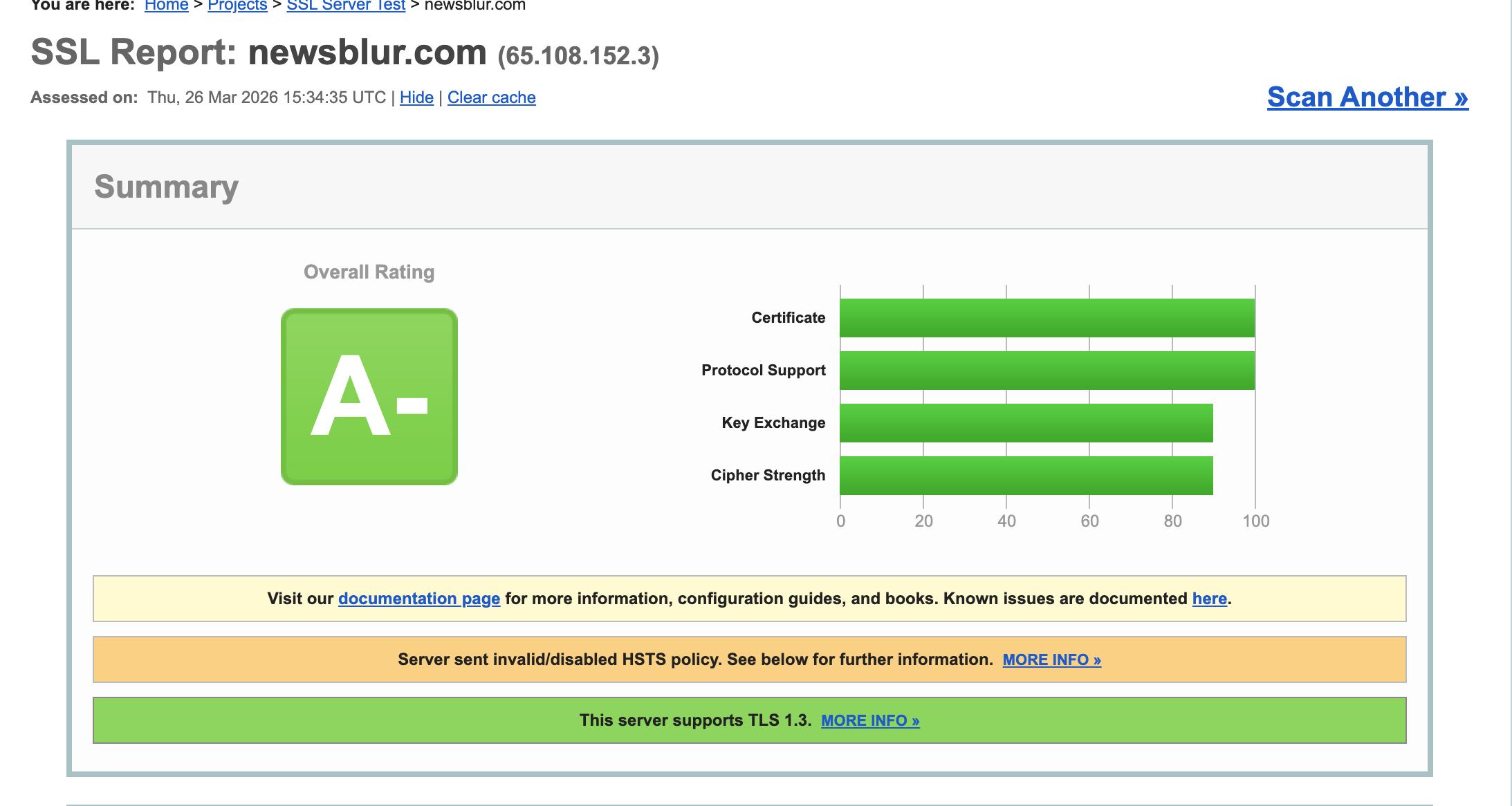
I just did an SSL report on the SSL certificate, and it is perfectly valid, receiving an A minus grade, so it should be working for you. Can you investigate how the SSL certificate looks like for you in Firefox? I’ll be honest, no one else is reporting an issue logging in like this, and it’s also not even specific to the daily briefing.
Thanks for the report! I found the issue. You went through the briefing setup and configured your preferences (frequency, sections, etc.), but due to a bug on my end, the auto-generation wasn’t actually getting enabled. You have plenty of unread stories so that’s not the issue.
I’ve just pushed a fix so that the setup screen will keep showing until auto-generation is properly turned on. Next time you click on Daily Briefing in your feed list, you should see the setup page again, just hit “Generate Briefing” and it’ll start working on a schedule going forward.
Ok, I found a solution to your login troubles. HAProxy was only redirecting HTTP to HTTPS on the root path (/), so any direct link or bookmark to an inner page over HTTP would stay on HTTP. Firefox correctly flags that as insecure when there’s a login form on the page.
I’ve fixed the redirect to cover all paths and also enabled HSTS so browsers will automatically upgrade to HTTPS going forward. Should be deployed now. Try reloading and let me know if it’s resolved.
It still doesn’t work. I did an SSL report and it shows A+, your report showed A-.
I have created a new fresh Firefox profile just for NewsBlur, but that didn’t help.
I also switched between the LLMs, still now difference.
The SSL report I created showed A+, while yours showed A-.
It’s sad because the Daily Briefing was the feature I really looked forward to and also the sole reason for me upgrading to Premium Pro.
During my long time with NewsBlur I have used Zorin Linux and the Firefox browser and that has worked great, until now.
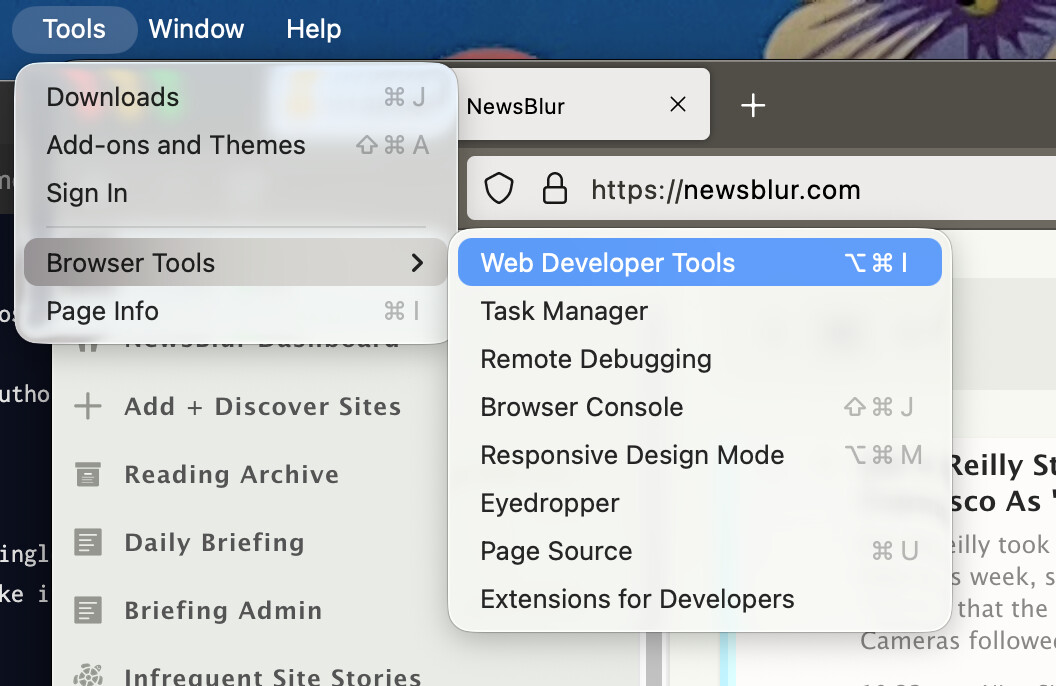
Can you open the developer console? Do you see any errors there? What do you see in the network error part? It might help if we jumped on zoom/google meet to share screens so I can see. This isn’t a daily briefing issue, this is a login issue as far as I can tell.
Let me know what commands to enter and I will send the content.
Zoom/Google is not something I do, I don’t like those two companies.
Open the Firefox dev console:
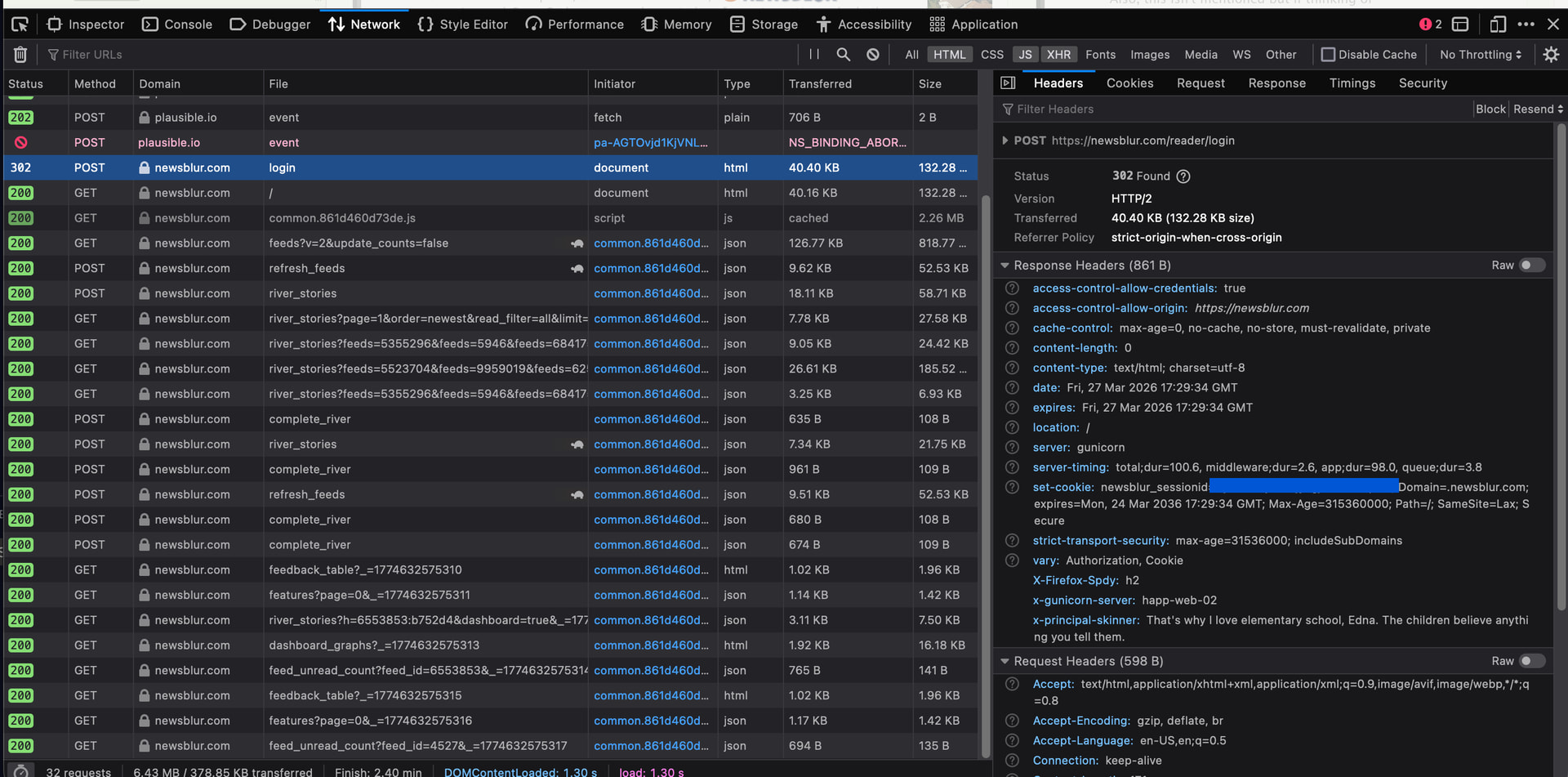
Switch to the network tab and click on the settings icon on the right and make sure you persist logs.
Then try logging in and send me the logs of the actual post request. Notice I selected only HTML/JS/XHR. You should see a POST method request to /login.