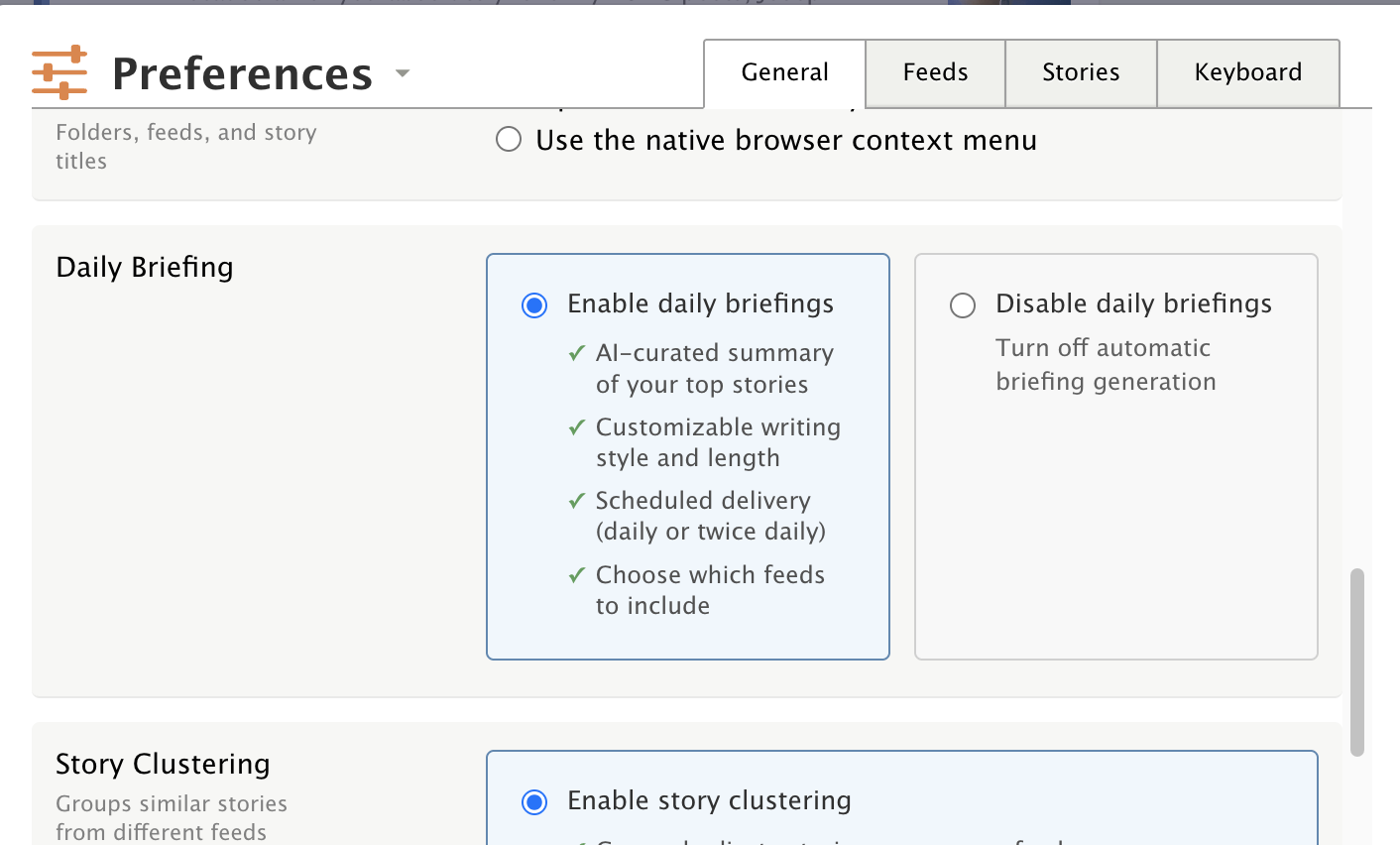
I don’t see Daily Briefing in my sidebar. Do I need to enable something or toggle anything? I did upgrade the other day to Premium Archive and got an error when I did, but it did seem to go through. Just in case that’s relevant at all.
Thanks!
I don’t see Daily Briefing in my sidebar. Do I need to enable something or toggle anything? I did upgrade the other day to Premium Archive and got an error when I did, but it did seem to go through. Just in case that’s relevant at all.
Thanks!
I also have that problem, I’ve been a premium archive user for a while. I’ve updated apps on Mac, and ipad and iphone, and run Newsblur on browser, but Daily Briefing isn’t showing anywhere. Is there a setting I need to change? Thanks
I’m not sure exactly why it’s not showing for your account, but it’s possible you just don’t have the daily briefing enabled. You can enable it by going to Manage > Preferences > Daily Briefing and then enable the daily briefing from there.
Just as info, @samuelclay , it was disabled by default for my account as well. Easy fix, but you might want to know…
Same here!
I want to be clear about what’s going on. Do you mean that daily briefing wasn’t visible, and to fix it you went into the site-wide preferences and then enabled it?
Thanks for flagging this, everyone. I found the issue: when I launched the Daily Briefing, the default was set to “disabled” instead of “enabled,” so it was hidden for everyone unless you manually toggled it on in Preferences. I just deployed a fix that flips the default to enabled. Reload the site and you should see the Daily Briefing in the sidebar now. If you had previously gone into Preferences and explicitly disabled it, that choice is still respected. Let me know if it’s not showing up after a reload.