Customise right-click context menu options

New menu items (e.g. ‘Listen to this story’) have recently been added to the right-click context menu. I have no interest in these, they mess with my muscle memory, and I would like to remove them:

It’s possible to customise the options provided in the right-side story panel, but could this also apply to the right-click context menu?

2 Likes

Would love to see the right-click menu a bit more customizable. In my case I’d like to be able to use it to control tags

I too would like to see this feature. As more functionality is added to NewsBlur I think it is useful for people to be able to customise their experience to suit their working style.
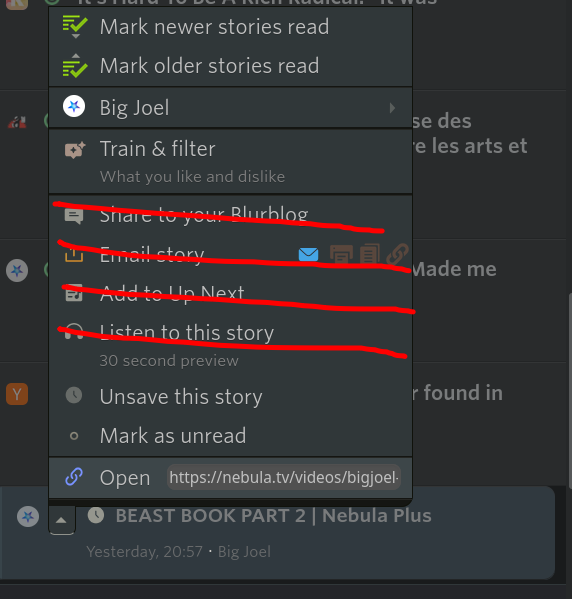
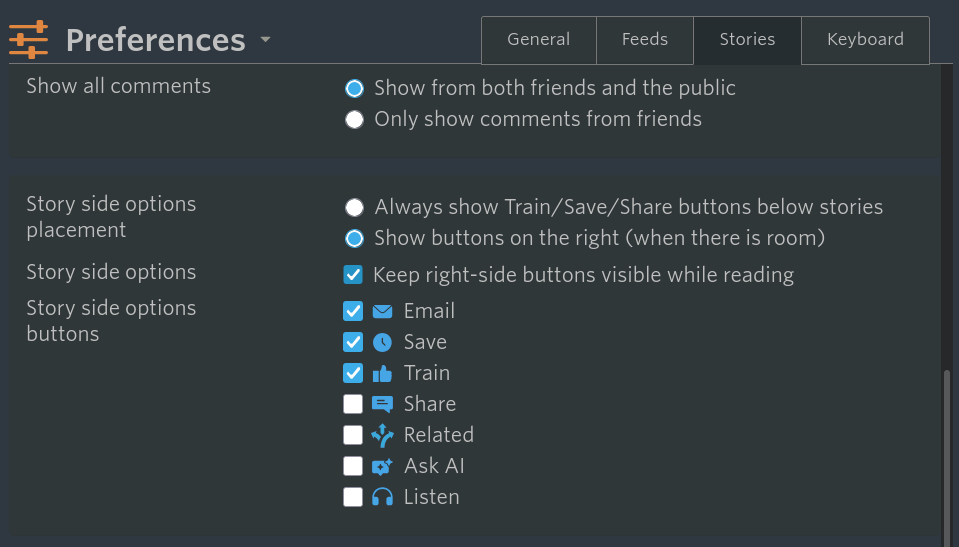
I’ve managed to hide the following items from my right-click context menu by adding some custom CSS under the “account” settings.

  • Share to your Blurblog
  • Email story
  • Add to Up Next
  • Listen to this story

The custom CSS I’ve used is:

.NB-menu-item.NB-menu-manage-story.NB-menu-manage-story-share, .NB-menu-item.NB-menu-manage-story-thirdparty, .NB-menu-item.NB-menu-manage-story-listen-queue, .NB-menu-item.NB-menu-manage-story-listen {
display: none;
}

Hopefully this might help some others until we see a formal feature for this.

Note you may need to force reload the site to have it work.

2 Likes