<p>NewsBlur has always had an API. Every feature in the web app, the iOS app, and the Android app runs through it. But APIs are for developers. Today I’m shipping three new ways to interact with your NewsBlur: a command-line tool that puts your entire NewsBlur in your terminal, an AI skill that teaches your agent every CLI command without eating your context window, and an MCP server that connects any MCP-compatible agent directly to your account.</p>
Quickstart
CLI tool — install and log in:
uv pip install newsblur-cli
newsblur auth login
AI skill — install into Claude Code, Cursor, Windsurf, or any Skills-compatible tool:
npx skills add samuelclay/newsblur-cli-skill
MCP server — connect from Claude Code, Claude Desktop, Codex, or any MCP client:
claude mcp add --transport http newsblur https://newsblur.com/mcp/
All three require a Premium Archive or Premium Pro subscription. On first use, a browser window opens for OAuth authorization. Your token is stored locally and you can revoke access at any time.
CLI tool
Everything you do in NewsBlur, from your terminal. Full documentation is on the CLI feature page.
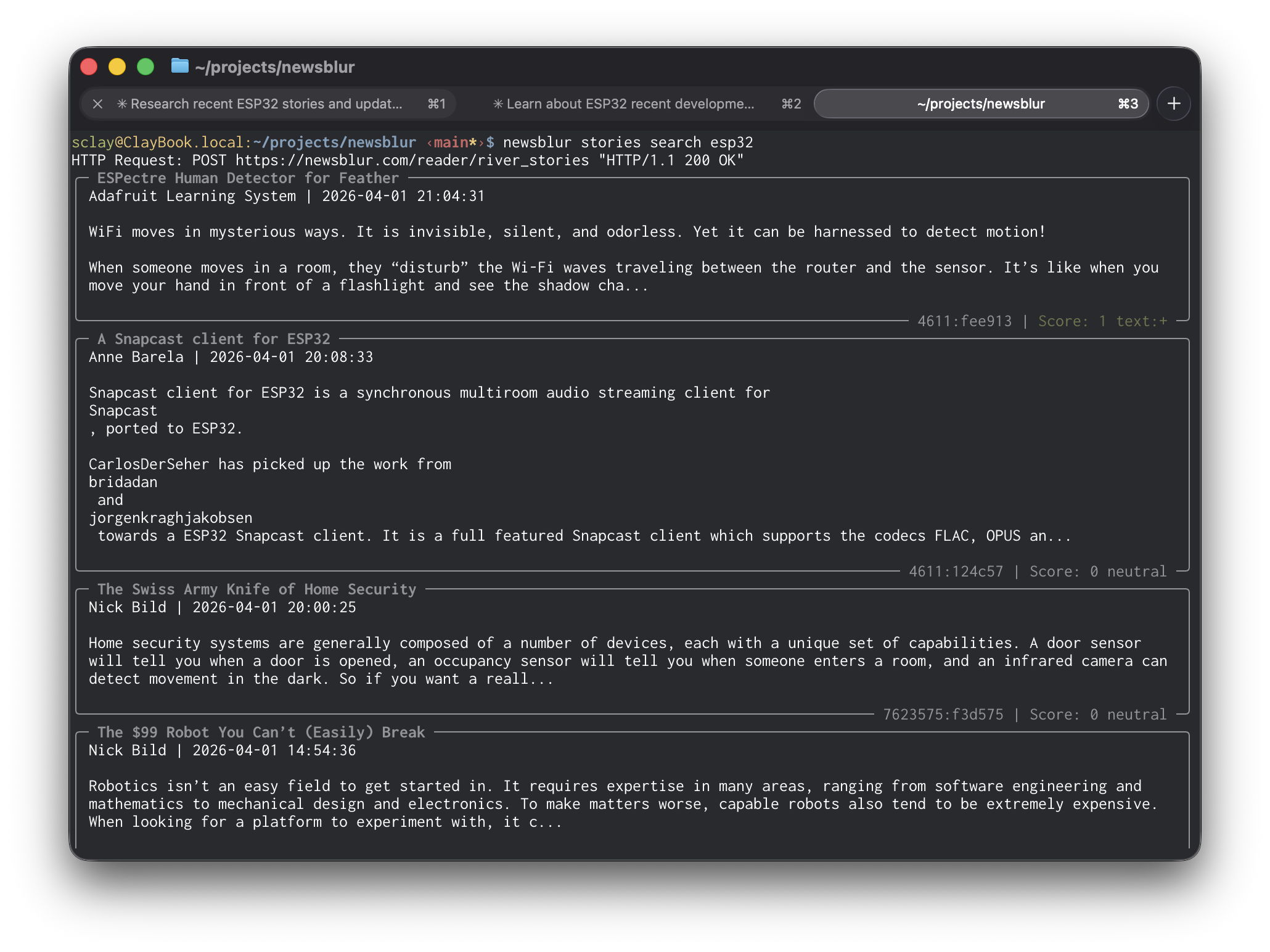
Read stories from feeds, folders, or everything at once:
newsblur stories list                          # unread stories
newsblur stories list --folder Tech --limit 5  # filter by folder
newsblur stories search "machine learning"     # full-text search
newsblur stories saved --tag research          # saved stories by tag
newsblur stories infrequent                    # rarely-publishing feeds
newsblur stories original 123:abc456           # fetch full article text
Get your daily briefing with AI-curated summaries:
newsblur briefing                              # today's briefing
newsblur briefing --limit 1                    # just the latest
newsblur briefing --json                       # structured output
Manage feeds and folders:
newsblur feeds list                            # all subscriptions
newsblur feeds folders                         # folder tree with counts
newsblur feeds add https://example.com         # subscribe
newsblur feeds add https://blog.com -f Tech    # subscribe into a folder
newsblur feeds remove 42                       # unsubscribe
newsblur feeds organize move_feed --feed-id 42 --from News --to Tech
Take actions on stories:
newsblur save 123:abc --tag ai --tag research  # save with tags
newsblur unsave 123:abc                        # remove from saved
newsblur read --feed 42                        # mark feed as read
newsblur share 123:abc --comment "Worth reading"
Train your intelligence classifiers:
newsblur train show --feed 42                  # view current training
newsblur train like --feed 42 --author "Name"  # train a like
newsblur train dislike --feed 42 --tag sponsor # train a dislike
Discover new feeds:
newsblur discover search "machine learning"    # search by topic
newsblur discover similar --feed 42            # find similar feeds
newsblur discover trending                     # trending feeds
Every command supports --json for structured output you can pipe to jq or use in scripts, and --raw for unformatted text. There’s also a global --server flag for self-hosted NewsBlur instances:
newsblur --server https://my-newsblur.example.com auth login
newsblur briefing --json | jq '.items[0].section_summaries'
AI skill
The CLI is great on its own, but it’s even better when your AI agent knows every command. The NewsBlur CLI skill teaches your agent the full command reference: every subcommand, every flag, every output format. Install it with one command and your agent can read feeds, search stories, train classifiers, and manage subscriptions on your behalf.
npx skills add samuelclay/newsblur-cli-skill
The npx skills add command works with any tool that supports the Skills standard: Claude Code, Cursor, Windsurf, and dozens more.
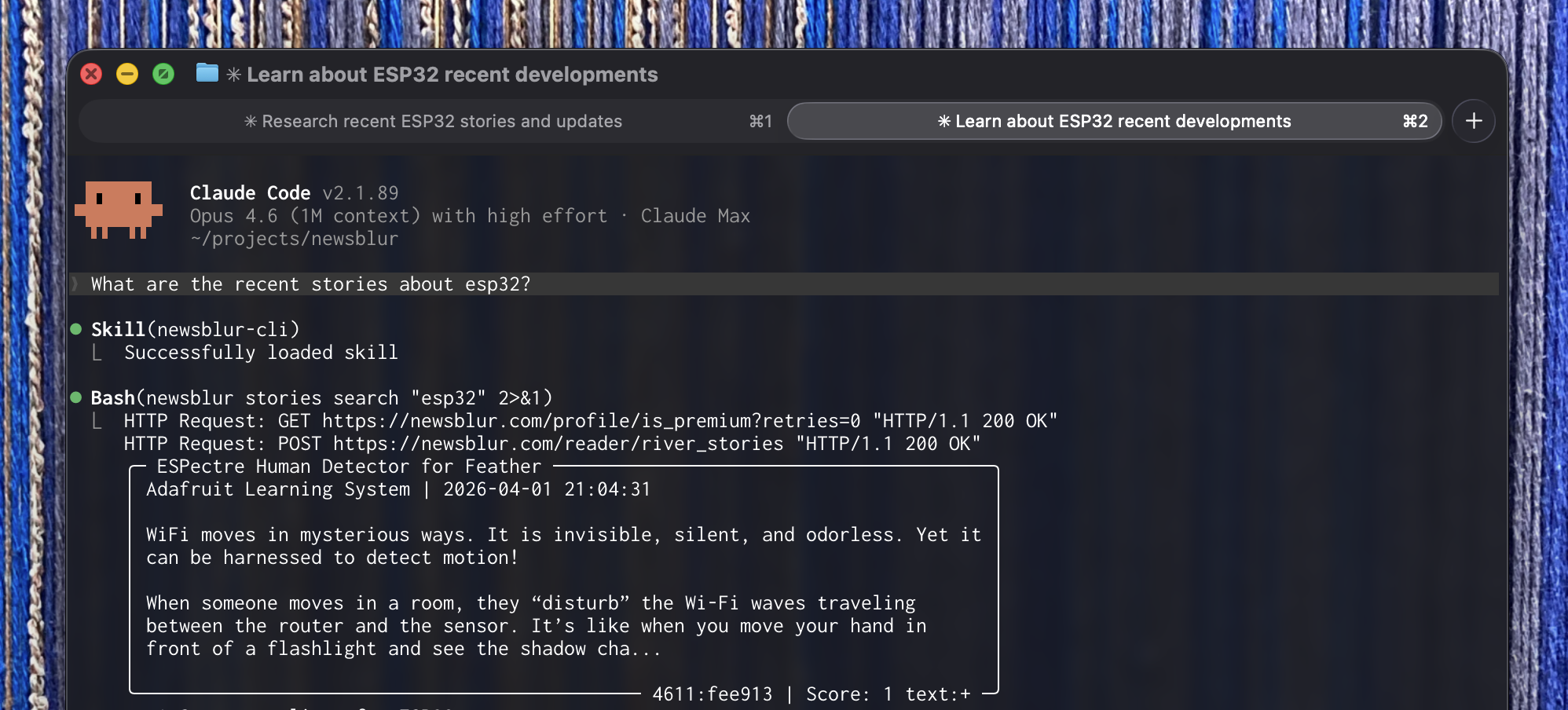
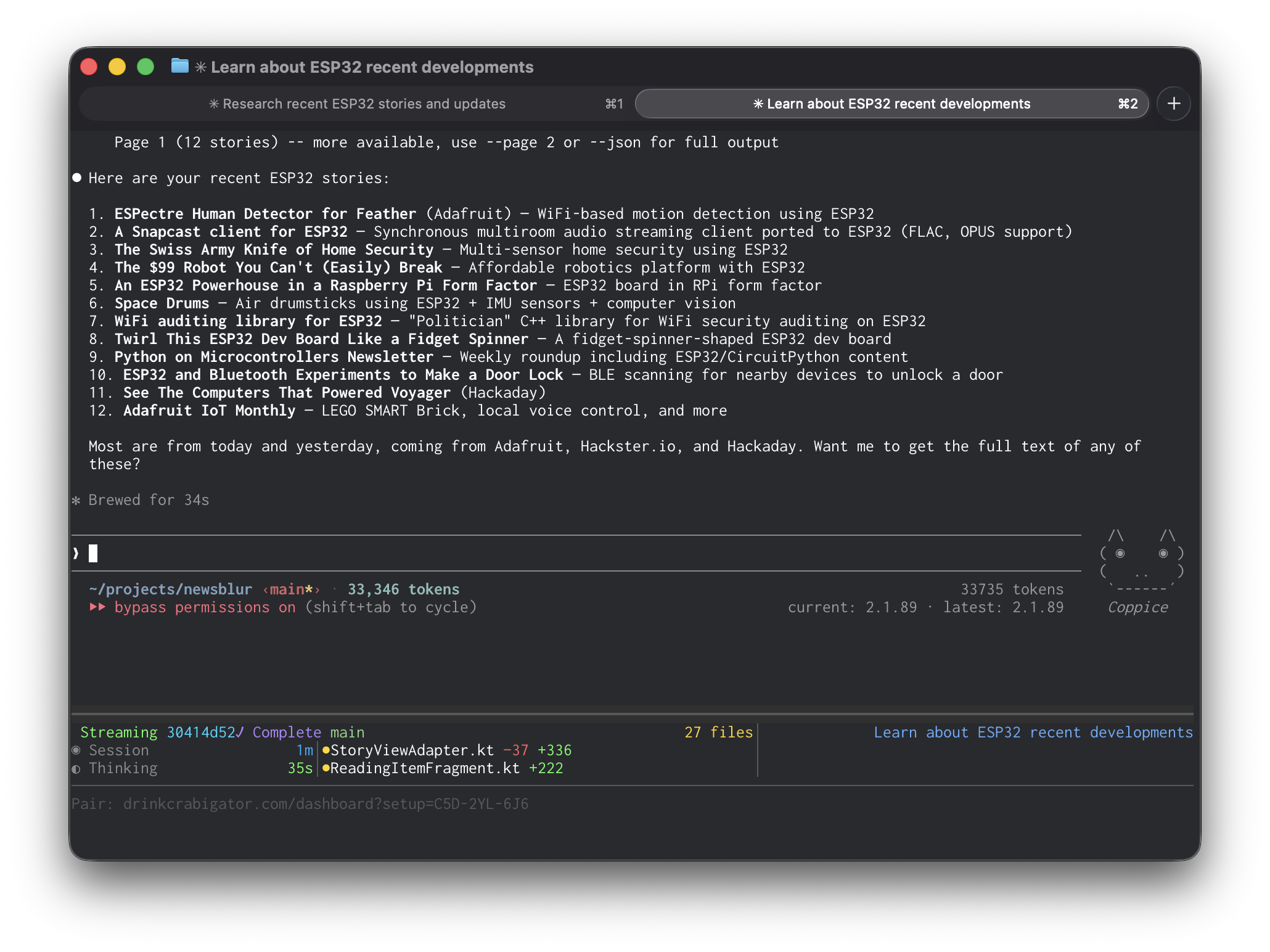
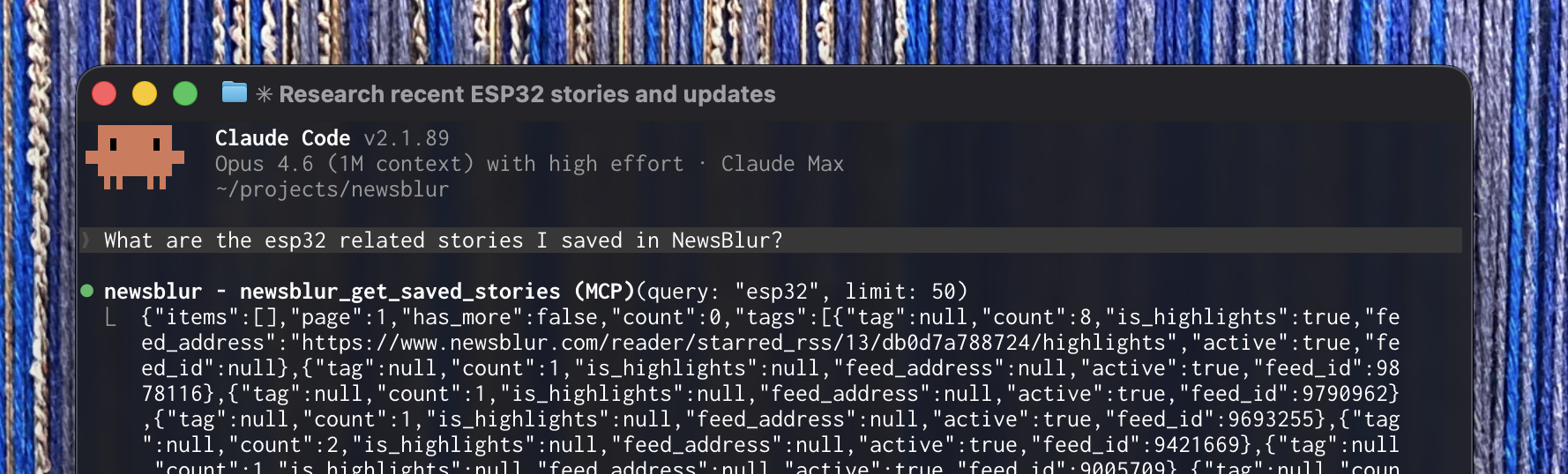
The skill has a major advantage over the MCP server for agents that support it: context efficiency. The MCP server returns raw JSON that lands in your agent’s context window. Ask for your saved ESP32 stories and you’ll burn through nearly 40,000 tokens on a single response. The skill runs the CLI instead, which returns clean, formatted text. Same query, same results, about a third of the tokens. In testing, the MCP server used 39,553 tokens for a saved stories query. The same query through the skill used 11,735.
If your tool supports skills, use the skill. If it only supports MCP, use the MCP server. If you just want to script your NewsBlur from the terminal, use the CLI directly.
MCP server
MCP (Model Context Protocol) is an open standard that lets AI agents connect to external tools and data. With the NewsBlur MCP server, Claude, Codex, Cursor, Windsurf, and any other MCP-compatible agent can read your feeds, manage your stories, train your classifiers, and organize your subscriptions.
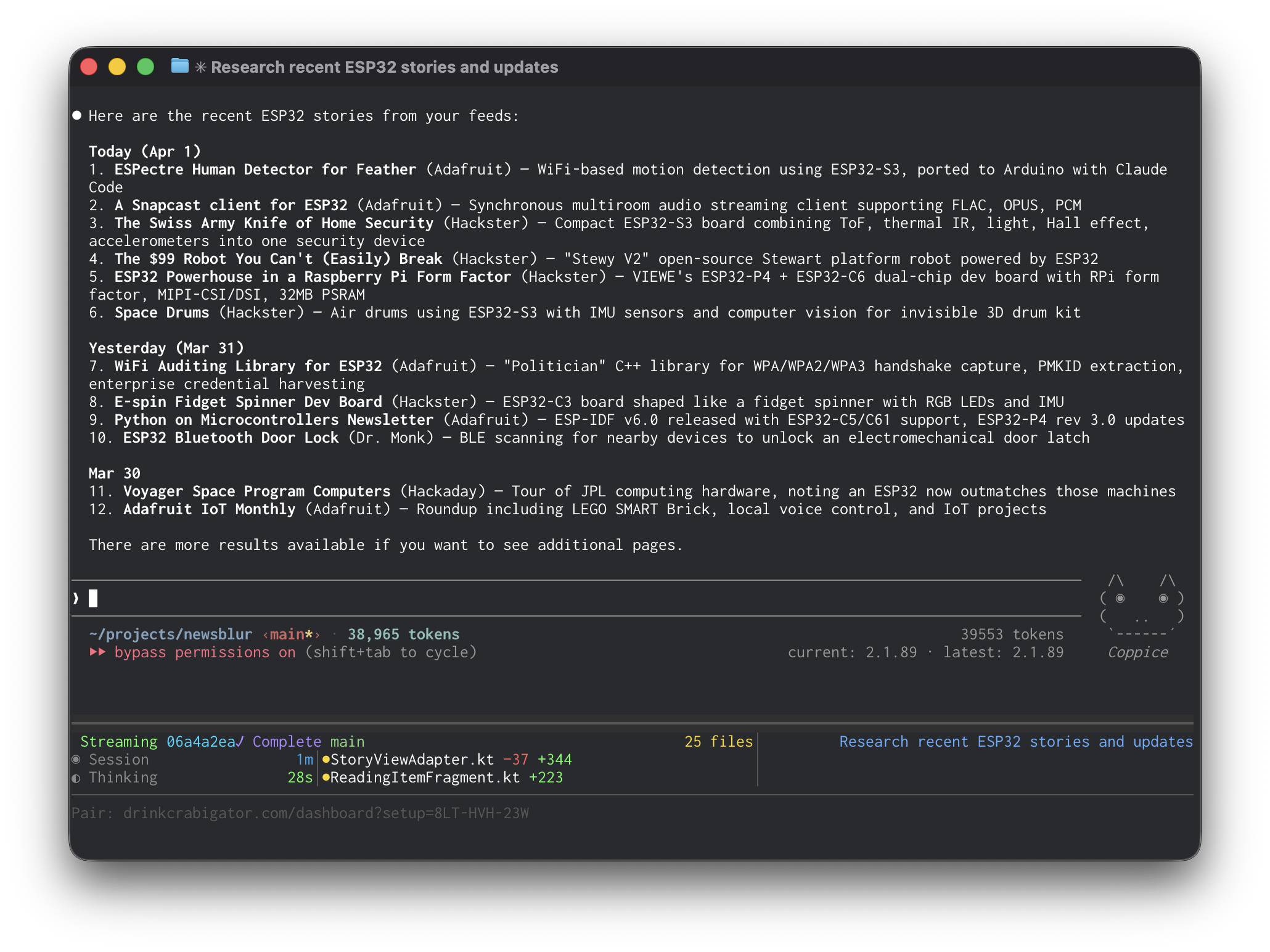
The server exposes 22 tools that cover everything you do in NewsBlur:
Reading — List feeds and folders with unread counts. Load stories from any feed, folder, or all subscriptions at once. Filter by unread, focus, or starred. Search across your entire archive with full-text search. Pull the original article text from the source. Get your AI daily briefing. Browse stories from your rarely-publishing infrequent feeds.
Actions — Mark stories as read by hash, by feed, or by folder. Save stories with tags, notes, and highlights. Subscribe and unsubscribe. Move feeds between folders. Rename feeds and folders. Share stories to your Blurblog.
Intelligence — View your trained classifiers across all feeds. Train new likes and dislikes by author, tag, title, or text content. The full range of training levels is available, including the new super dislike that overrides all other positive scores.
Discovery — Search for new feeds by topic. Find feeds similar to ones you already follow. Browse trending feeds.
For Claude Code:
claude mcp add --transport http newsblur https://newsblur.com/mcp/
For Claude Desktop, add this to your claude_desktop_config.json:
{
  "newsblur": {
    "type": "http",
    "url": "https://newsblur.com/mcp/"
  }
}
Codex, Cursor, and Windsurf each have their own config format. Setup instructions for all of them are on the MCP Server feature page.
Readonly mode
Giving an AI agent access to your NewsBlur is powerful, but maybe you want to start with guardrails. The CLI has a readonly mode that blocks all write operations: no saving, no sharing, no training, no subscribing, no marking as read. Your agent can read your feeds and search your stories, but it cannot change anything.
newsblur auth readonly --on
With readonly on, any write command returns an error instead of executing. The agent sees your data but cannot touch it.
The important part is what happens when you turn it off. Disabling readonly mode logs you out and requires you to re-authenticate in the browser:
newsblur auth readonly --off
# "You have been logged out and must re-authenticate."
newsblur auth login
This is deliberate. An AI agent cannot silently toggle readonly off and start making changes. Only a human sitting at a browser can re-authorize write access. If you hand the CLI to an agent and want to be sure it stays read-only, it will.
Availability
The CLI, AI skill, and MCP server are available now for Premium Archive and Premium Pro subscribers. See the MCP Server and CLI Tool feature pages for full documentation.
If you have ideas for new tools, workflows, or improvements, please share them on the NewsBlur forum.
This is a companion discussion topic for the original entry at https://blog.newsblur.com/2026/04/01/mcp-server-and-cli/