<p>NewsBlur’s Intelligence Trainer has always had a simple rule: thumbs up beats thumbs down. If a story matches both a liked and a disliked classifier, the story shows up in Focus. That works well most of the time. But sometimes you run into a topic, author, or tag that you absolutely never want to see, and a regular thumbs down isn’t enough because a single thumbs up from another classifier overrides it.</p>
Today I’m shipping two features that give the Intelligence Trainer more teeth: super dislikes that override any number of likes, and per-classifier notifications that ping you only when specific classifiers match.
Super dislikes are available to all users – free, Premium, Premium Archive, and Premium Pro. Folder and global scoping requires Premium Archive. Per-classifier notifications are exclusive to Premium Archive and Premium Pro subscribers.
Super dislikes
A super dislike is a new third state for classifiers. The regular thumbs down hides a story unless a thumbs up overrides it. The super dislike – shown as a double thumbs-down icon – overrides everything. If a story matches a super-disliked classifier, it’s hidden no matter how many positive classifiers it also matches.
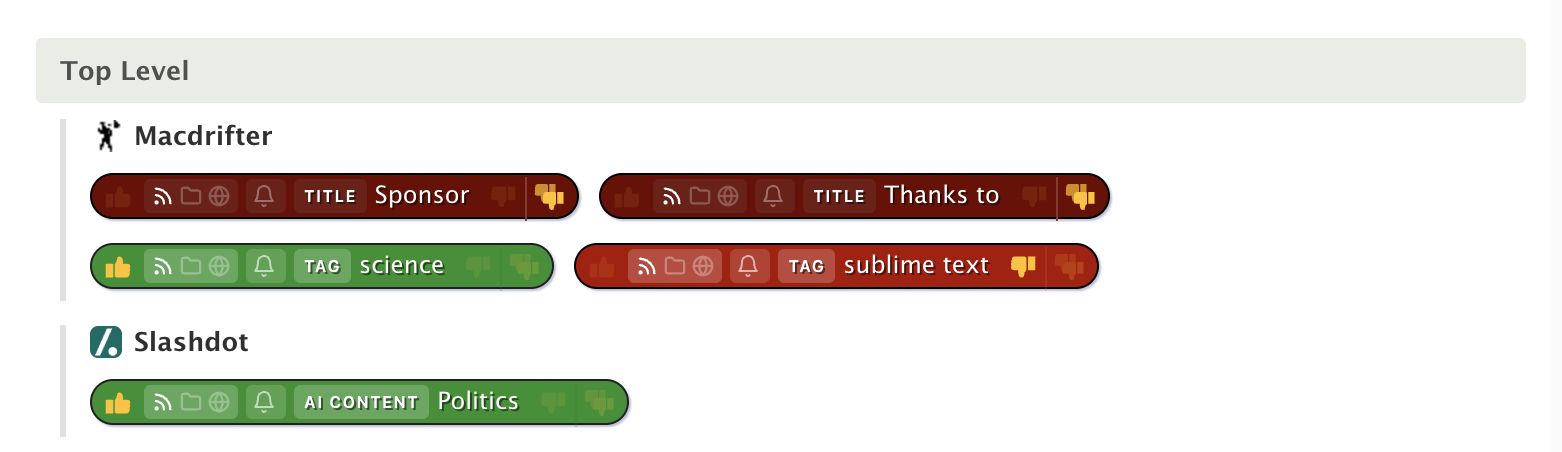
The priority order is now: AI prompt classifiers > super dislike > thumbs up > thumbs down > feed score. This means super dislikes are the strongest manual signal you can set, second only to AI classifiers.
How to use it
In the Intelligence Trainer, every classifier pill now has three clickable icons on the right side: thumbs up, thumbs down, and the double thumbs-down for super dislike. Click the double thumbs-down to super-dislike a classifier. Click it again to remove the super dislike.
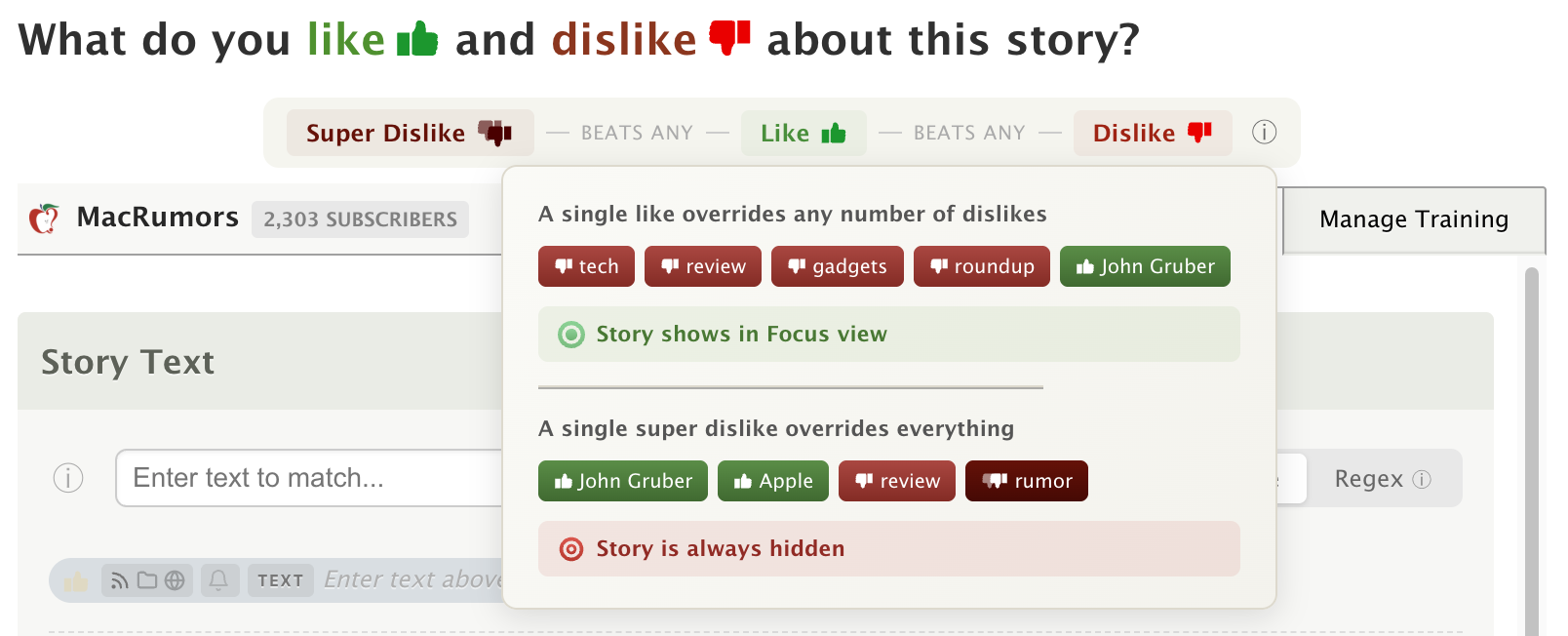
An explainer banner at the top of the trainer shows the priority chain so you always know how scoring works:
- Thumbs up beats any number of thumbs down
- Super thumbs down beats any number of thumbs up
Visual highlighting
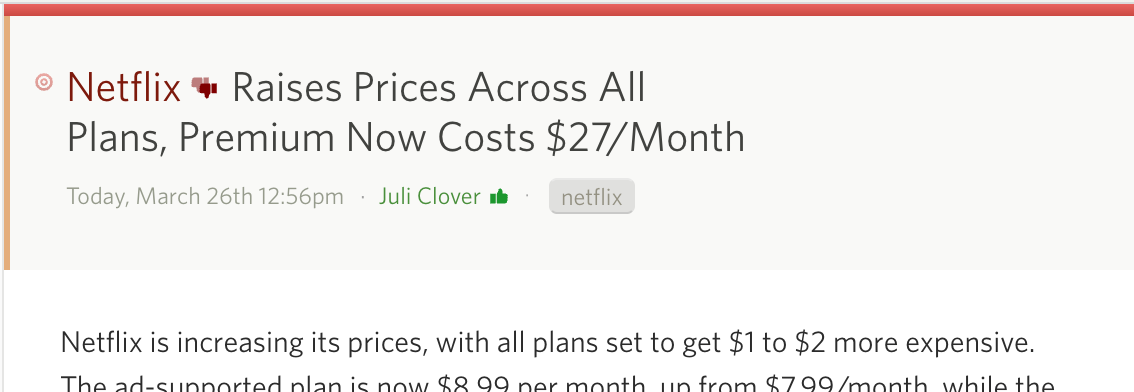
Super-disliked classifiers are highlighted in a deeper crimson color, distinct from the regular red of a normal dislike. When you’re reading stories, you’ll see the same color treatment on matched titles, authors, tags, and text, with a small double thumbs-down icon inline so you can tell at a glance why a story was scored the way it was.
Works with scopes
Super dislikes work with all scope levels. Set a global super dislike on a topic like “sponsored” and it’s hidden across every feed. Set a folder-scoped super dislike on an author and they’re hidden in that folder regardless of positive training elsewhere. The same scoping rules from regular classifiers apply.
Per-classifier notifications
NewsBlur’s notifications have always been per-feed: turn them on and you get pinged on every new story. That’s fine for low-volume feeds, but not great for a high-volume feed where you only care about specific topics or authors. You end up choosing between too many notifications or none at all.
Now you can set notifications on individual classifiers. Every classifier pill in the Intelligence Trainer has a small bell icon. Hover over it and a popover appears with four channel toggles: Email, Web, iOS, and Android. Choose any combination, and when a new story matches that specific classifier, you get notified. Everything else in the feed stays quiet.
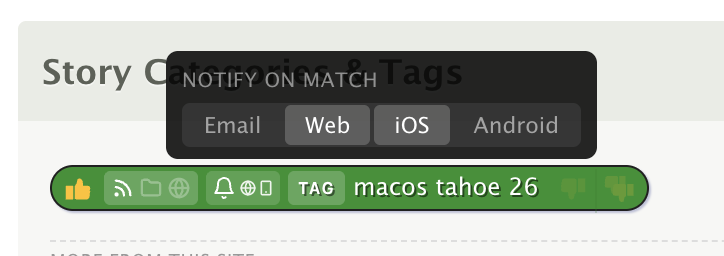
The bell icon lights up on classifiers with active notifications, so you can see at a glance which ones will ping you.
Works with scopes and regex
Classifier notifications respect the scope system. A notification on a global “breaking news” classifier fires when any feed publishes a matching story. A notification on a folder-scoped “earnings” classifier fires only for feeds in that folder.
Regex classifiers work too. If you have a regex title or text classifier, the notification evaluates the pattern with timeout protection on every new story.
Smart deduplication
If a story already triggered a feed-level notification on a channel, the classifier notification won’t duplicate it. Each story is sent once per channel, regardless of how many classifiers or feed rules it matches. There’s also a cap of 3 stories per classifier per update cycle, so a burst of matching stories won’t flood you.
Real-world examples
Breaking news alerts. Train “breaking” as a global title classifier, set it to notify via iOS and Email. You get a push notification whenever any feed publishes a story with “breaking” in the title.
Author tracking. Follow a journalist across multiple outlets. Train their name as a global author classifier with notifications, and you’ll know the moment they publish regardless of which feed it’s in.
Keyword monitoring. Use a regex classifier for a product name or company, scoped to your industry folder. Get an email when a matching story appears, without turning on notifications for every feed in that folder.
Availability
Super dislikes are available now on the web for all NewsBlur users. Per-classifier notifications are available on the web for Premium Archive and Premium Pro subscribers – all users can see the bell icon and popover, but toggling channels requires an Archive or Pro subscription.
If you have feedback or ideas for how to make these features better, please share them on the NewsBlur forum.
This is a companion discussion topic for the original entry at https://blog.newsblur.com/2026/03/27/super-dislikes-and-classifier-notifications/