I think I have some of it figured out, so I am sharing it over here. You need to go to your Blurblog Profile and there is a Custom CSS for your Blurblog:
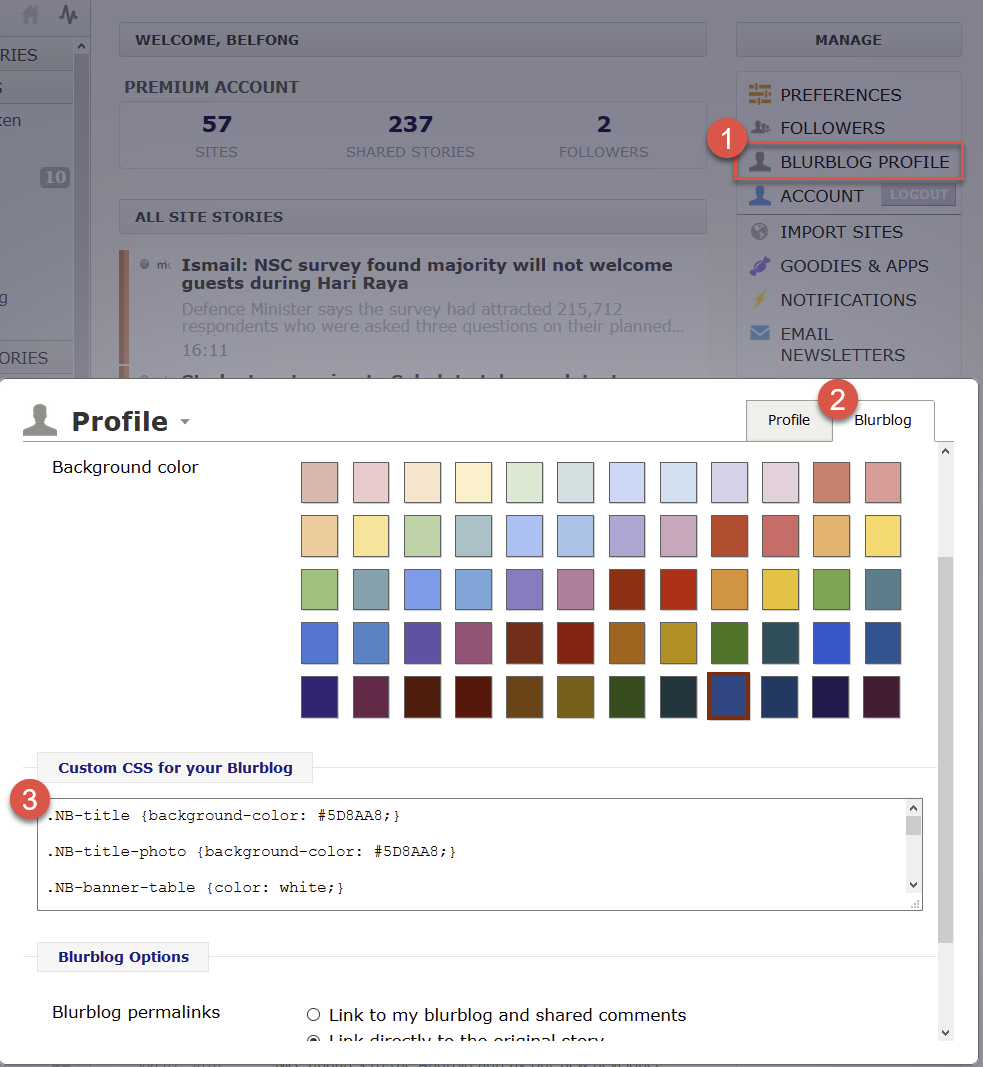
You can use the following CSS element to color the background:
.NB-title {background-color: #5D8AA8;}

.NB-title-photo {background-color: #5D8AA8;}

.NB-banner-table {color: white;}

.NB-banner-wrapper {background-color: #5D8AA8;}

.NB-banner-stats {color: white;}

.NB-banner-stats .NB-banner-stat b {color: white;}

.NB-story-comments-container {background-color: #f5f2eb;}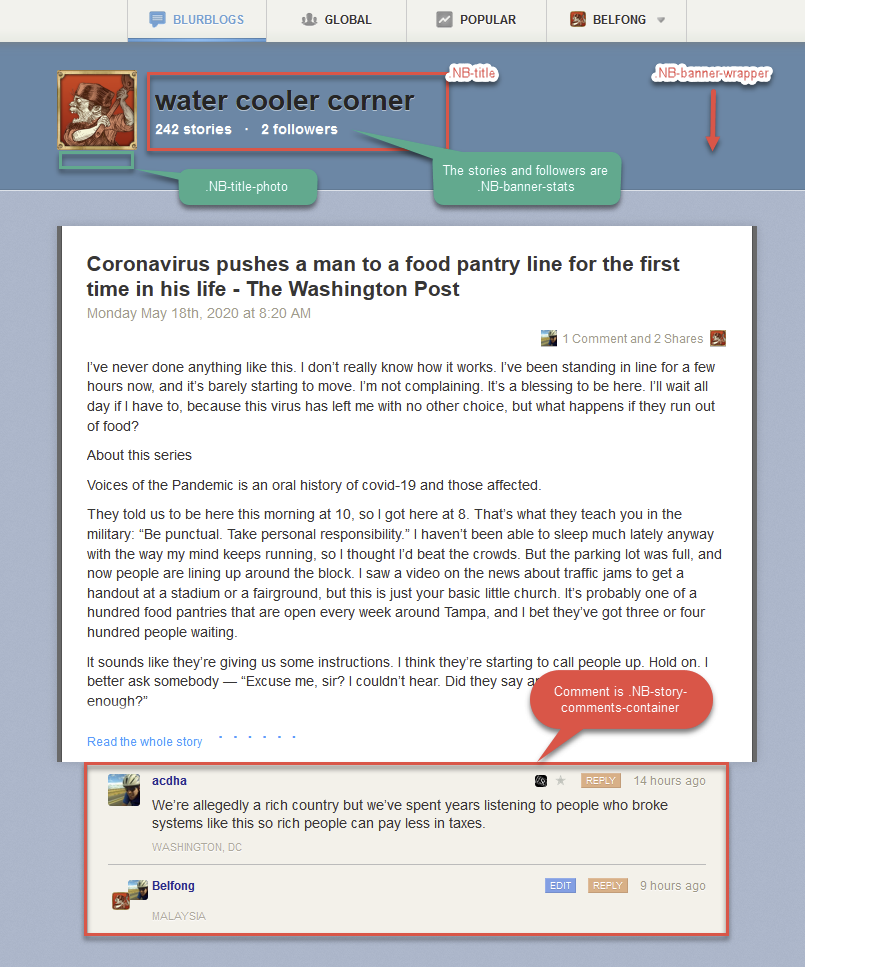
You can press F12 in your Blurblog and your browser will go into a “developer” mode and then you can explore each element.
Hope this will help anyone interested to skin your Blurblog.